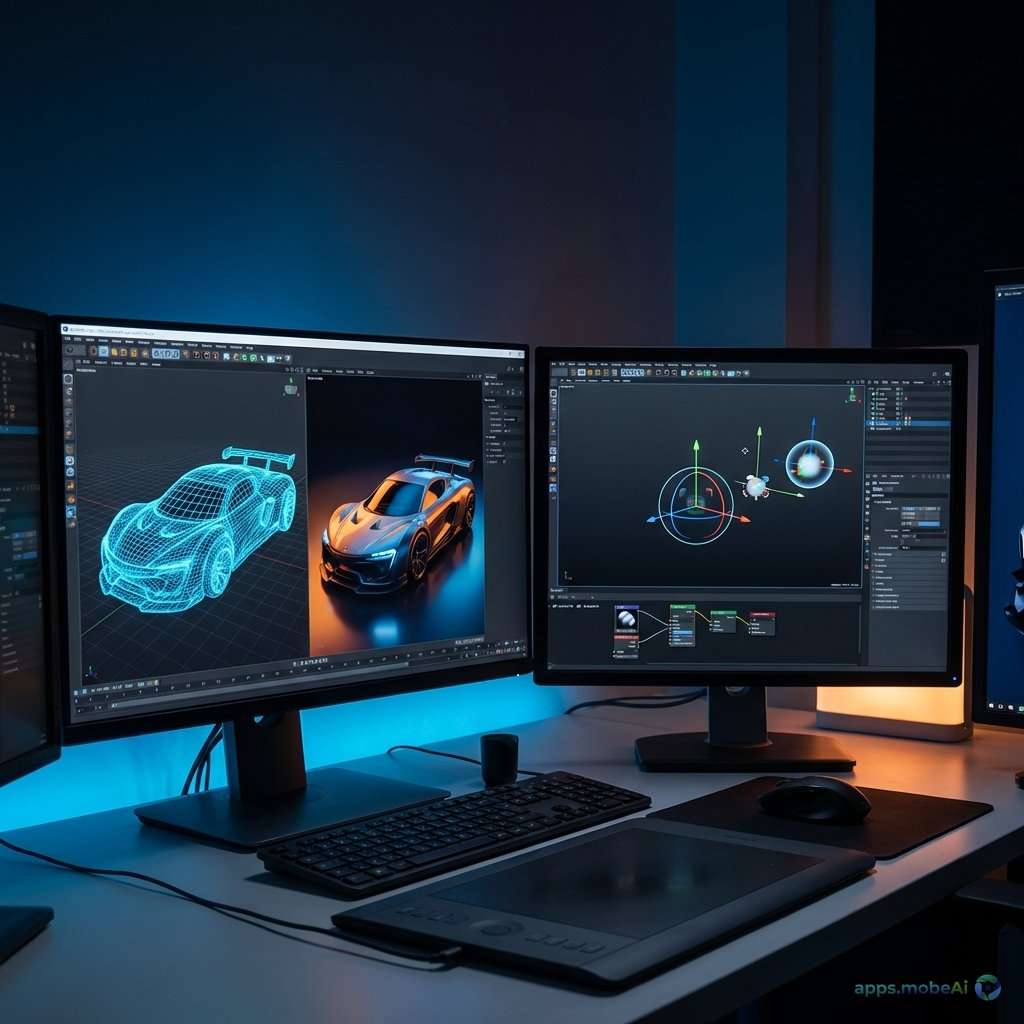
Three-dimensional modeling and animation have transformed from specialized studio capabilities into accessible
creative tools available to individual artists worldwide. The democratization of 3D software has enabled independent
creators to produce work rivaling major studio productions, fueled by powerful applications ranging from open-source
solutions to industry-standard professional tools.
The 3D software landscape in 2026 presents three dominant applications—Blender, Cinema 4D, and Maya—each serving
distinct creative communities with different pricing models, workflow philosophies, and industry positions.
Understanding these platforms’ strengths helps artists select software that matches both their creative goals and
practical circumstances.
This comprehensive comparison examines these leading 3D applications across modeling capabilities, animation tools,
rendering options, and professional workflows. Whether you’re exploring 3D as a hobby, building skills for industry
employment, or establishing independent creative practice, you’ll discover which platform best serves your
three-dimensional creative journey.
I. Understanding 3D Software Categories
Modern 3D software encompasses diverse capabilities that serve different creative needs.
Modeling Approaches
3D modeling creates the geometry that defines three-dimensional objects. Polygon modeling builds surfaces from
connected vertices, edges, and faces—the dominant approach for games and real-time applications. NURBS modeling uses
mathematical curves for smooth surfaces preferred in product design and engineering. Sculpting enables organic form
creation through brush-based manipulation similar to clay modeling.
Animation Techniques
Animation brings 3D models to life through various techniques. Keyframe animation defines key poses that software
interpolates between. Rigging creates skeletal systems that deform mesh surfaces for character animation. Procedural
animation uses rules and simulations rather than hand-created poses. Motion capture applies real-world movement data
to digital characters.
Rendering Technologies
Rendering generates final images from 3D scenes. Ray tracing simulates light physics for photorealistic results.
Real-time rendering provides immediate feedback but with quality compromises. Path tracing extends ray tracing for
ultimate physical accuracy. Different renderers excel at different aesthetic styles and production requirements.
Industry Applications
3D software serves diverse industries. Film and television production creates visual effects and animated features.
Game development produces characters, environments, and assets. Product visualization enables photorealistic
marketing imagery. Architecture visualization presents buildings before construction. Motion graphics combines 3D
with video production. Each industry has preferred tools and workflows.
II. Blender: Open-Source Revolution
Blender has evolved from a curious open-source project into a genuinely professional tool used by major studios,
transforming the economic assumptions of 3D software.
Open-Source Model
Blender is completely free—no cost for personal, commercial, or educational use. The Blender Foundation maintains
development through donations, sponsors, and the Blender Development Fund. This funding model has attracted
sufficient resources to develop features matching commercial competitors.
Open-source development enables community contributions. Artists worldwide submit improvements, fixes, and features.
This distributed development creates rapid evolution while maintaining software that belongs to its users rather
than shareholders.
Comprehensive Feature Set
Blender provides remarkably comprehensive capabilities within a single application. Modeling tools cover polygon,
sculpt, and curve-based workflows. Animation includes keyframe, rigging, and constraint systems. Simulation handles
physics, fluids, cloth, and particles. The Cycles renderer produces photorealistic imagery through path tracing.
Grease Pencil enables 2D animation within the 3D environment. Video editing handles post-production tasks. Compositor
enables node-based image processing. This integration eliminates the need for multiple applications, reducing both
cost and workflow complexity.
Modeling Capabilities
Blender’s polygon modeling provides extensive tools through modifier-based non-destructive workflows. Boolean
operations, array systems, and subdivision modeling construct complex geometry efficiently. Edit mode provides
vertex, edge, and face manipulation with comprehensive selection tools.
Sculpt mode enables organic modeling with dynamic topology that automatically adds detail where needed. Multires
sculpting maintains levels of detail for optimization. The sculpting toolset approaches dedicated applications while
integrating seamlessly with general modeling.
Geometry Nodes provide procedural modeling through visual node graphs. Complex patterns, arrays, and algorithmic
forms generate from rules rather than manual placement. This powerful system has become central to advanced Blender
workflows.
Rendering with Cycles and EEVEE
Cycles, Blender’s path tracing renderer, produces photorealistic imagery competitive with commercial renderers. GPU
acceleration enables reasonable render times. The principled shader provides physically-based materials matching
real-world behavior.
EEVEE provides real-time rendering using modern techniques—screen space reflections, ambient occlusion, and
volumetrics. While not matching Cycles’ physical accuracy, EEVEE enables immediate feedback during creation and
produces impressive quality for motion graphics and stylized work.
Animation and Rigging
Blender’s animation system covers professional requirements. Graph editor enables precise curve manipulation. Dope
sheet organizes keyframes visually. NLA (Non-Linear Animation) enables action-based animation reuse and layering.
Rigging uses armatures with constraint systems for character deformation. Weight painting assigns vertex influence.
Shape keys create blend shapes for facial animation. These tools enable character animation matching industry
requirements.
Community and Resources
Blender’s active community creates abundant learning resources. Blender Cloud provides official tutorials and assets.
YouTube hosts thousands of free tutorials. Blender Market offers commercial add-ons and assets. This ecosystem
supports learning and professional use.
Strengths and Limitations
Blender provides extraordinary value—genuinely professional capabilities at zero cost. Comprehensive features reduce
multi-application workflow needs. Active development adds features rapidly. The community creates abundant resources
and support.
However, some industry workflows expect other software knowledge. Blender’s unique interface requires specific
learning even for experienced 3D artists. Enterprise support options are limited compared to commercial vendors.
Some specialized plugins exist only for other platforms.
III. Cinema 4D: Motion Graphics Mastery
Maxon’s Cinema 4D has established itself as the motion graphics industry standard while providing accessible 3D
capabilities for generalist work.
Motion Graphics Focus
Cinema 4D originated in and continues to excel at motion graphics—animated graphics for broadcast, advertising, and
video production. MoGraph toolset provides procedural animation of multiple objects, enabling complex choreographed
motion from simple setups.
Cloner objects duplicate geometry with procedural variations. Effector controls distribute transformations across
clones. Fields modulate effects with precision. These tools create sophisticated animations that would require
extensive manual work in other applications.
After Effects Integration
Cinema 4D’s integration with Adobe After Effects remains unmatched. Cineware enables Cinema 4D scenes to render
directly within After Effects compositions. Camera and null object exchange allows matching 3D camera moves with
compositing. This integration makes Cinema 4D the natural companion for After Effects users.
Interface Philosophy
Cinema 4D prioritizes interface clarity and predictability. Tools behave consistently. Menus organize logically. The
learning curve remains gentle compared to more complex alternatives. This accessibility makes Cinema 4D popular in
education and with motion designers who aren’t 3D specialists.
Modeling and Simulation
Modeling in Cinema 4D provides capable polygon tools with generator-based non-destructive workflows. Spline modeling
creates forms from curves. Sculpting adds organic modeling capabilities. The toolset serves generalist modeling
needs effectively.
Simulation includes softbody dynamics, cloth, particles, and rigid body physics. While not matching specialized
simulation software, integrated simulation handles common motion graphics and visualization needs.
Rendering Options
Redshift, acquired by Maxon, provides GPU-accelerated production rendering. Fast preview and final rendering speeds
suit iterative motion graphics workflows. The standard renderer handles simpler needs with straightforward controls.
Third-party renderer support includes Octane, Arnold, and V-Ray. This flexibility allows studios to maintain renderer
consistency across software.
Pricing Structure
Cinema 4D uses subscription pricing following the industry trend. Individual subscriptions run $94/month or
$719/year. Team licenses add administrative features. Maxon One bundles include Redshift, ZBrush, and other Maxon
products. Educational pricing provides significant discounts for students and teachers.
Strengths and Limitations
Cinema 4D excels for motion graphics with MoGraph tools that remain unmatched. After Effects integration creates
seamless broadcast workflows. The accessible interface reduces learning barriers. Stability maintains creative
momentum without crashes.
However, advanced modeling and animation require more effort than specialized tools. Subscription pricing adds
ongoing costs. The motion graphics focus means some features receive less development attention. Character animation
tools, while capable, don’t match specialized alternatives.
IV. Maya: Industry Standard
Autodesk Maya represents the established industry standard for film, television, and game production, offering depth
that reflects decades of professional refinement.
Industry Position
Maya dominates high-end production pipelines. Major animation studios, visual effects houses, and game developers
standardize on Maya. Learning Maya provides direct employment preparation. Pipeline integration assumes Maya
compatibility. This market position continues despite capable alternatives.
Animation Depth
Maya’s animation capabilities reflect its film and game heritage. Graph editor provides precise keyframe
manipulation. Character rigging tools handle complex skeletal systems. Constraint systems create sophisticated
mechanical and character relationships.
Animation layers enable non-destructive animation stacking. Blend shapes create facial animation and corrective
deformations. Motion capture integration handles performance capture workflows. These tools serve professional
character animation requirements comprehensively.
Modeling Capabilities
Polygon modeling in Maya provides extensive tools refined over decades. Edge loops, extrusion, and beveling handle
hard-surface modeling. NURBS surfacing serves automotive and industrial design requirements. Subdivision surfaces
create smooth organic forms.
XGen enables procedural generation of hair, fur, and foliage. Bifrost provides node-based procedural workflows. These
systems create complexity that would be impossible to model manually.
Simulation and Effects
Maya’s simulation capabilities handle production-level effects. nDynamics provides cloth, hair, and softbody
simulation. Fluid effects create realistic fire, smoke, and explosions. Particle systems enable complex
environmental effects.
Bifrost extends simulation with visual programming for custom effects. This extensibility enables custom solutions
for specific production requirements.
Rendering Integration
Arnold, developed by Autodesk subsidiary, renders Maya scenes natively. The integration is deep—materials, lights,
and render settings work seamlessly. Arnold’s physical accuracy serves film and television production requirements.
Viewport 2.0 provides real-time preview that approaches final rendering for art direction. Game viewport modes enable
game engine-style display for real-time development.
Scripting and Customization
MEL (Maya Embedded Language) and Python scripting enable extensive customization. Studios develop proprietary tools
that integrate with Maya’s architecture. This customizability enables pipeline integration that smaller applications
cannot match.
API access enables compiled plugins for complex functionality. The plugin ecosystem includes specialized tools for
various production requirements.
Pricing Structure
Maya uses Autodesk’s subscription model. Individual subscriptions cost $225/month or $1,875/year. Educational
licenses are free for students and educators. Indie licenses at reduced pricing serve freelancers under revenue
thresholds.
Strengths and Limitations
Maya provides industry-standard capabilities that prepare users for professional employment. Animation and rigging
depth matches production requirements. Extensibility enables custom pipeline integration. Support and documentation
serve enterprise needs.
However, subscription pricing represents significant ongoing cost. Interface complexity creates steep learning
curves. Features can feel dated compared to rapidly-evolving alternatives. Some find the application increasingly
bloated with legacy systems.
V. Feature Comparison
Direct comparison illuminates relative strengths across key capabilities.
Comparison Table
| Feature | Blender | Cinema 4D | Maya |
|---|---|---|---|
| Price | Free | $719/year | $1,875/year |
| Best For | General/Indie | Motion Graphics | Film/Games |
| Learning Curve | Moderate | Gentle | Steep |
| Animation | Good | Good | Excellent |
| Industry Use | Growing | Motion Design | Standard |
Modeling Comparison
All three applications provide capable polygon modeling. Maya offers the deepest toolset with NURBS support.
Blender’s Geometry Nodes enable unique procedural approaches. Cinema 4D’s generator system provides intuitive
non-destructive modeling.
Animation Comparison
Maya leads in character animation depth—rigging, constraints, and motion capture integration reflect decades of film
production refinement. Blender approaches Maya’s capabilities for most projects. Cinema 4D’s MoGraph excels
specifically for motion graphics while character animation requires more effort.
Rendering Comparison
All platforms integrate quality renderers. Blender’s Cycles provides free production-quality rendering. Cinema 4D
with Redshift excels for iterative motion graphics work. Maya with Arnold serves the film industry’s photorealism
requirements. Choice depends more on workflow than capability.
VI. Choosing the Right Platform
Selection should consider career goals, budget, and creative focus.
For Hobbyists and Learners
Blender’s zero cost makes it the obvious starting point. Comprehensive capabilities enable exploration without
financial commitment. Community resources support self-teaching. Skills transfer to other applications if needed
later.
For Motion Designers
Cinema 4D’s MoGraph tools and After Effects integration create unmatched motion graphics workflows. If broadcast
animation and video production are your focus, Cinema 4D justifies its subscription.
For Career Preparation
Industry employment often expects Maya knowledge. Studios standardize on Autodesk products. Learning Maya prepares
for job requirements. However, Blender knowledge increasingly supplements portfolios effectively.
For Independent Artists
Independent creators benefit from Blender’s economics. Zero software cost means more budget for hardware, assets, and
marketing. Professional quality is absolutely achievable. Client work doesn’t require expensive subscriptions.
VII. The Multi-Software Reality
Many professionals use multiple applications for different tasks.
Complementary Workflows
Sculpting in ZBrush, retopology in Maya, texturing in Substance, rendering in Blender—each application excels at
specific tasks. Professional pipelines often combine specialized tools rather than relying on one application for
everything.
Format Compatibility
Common formats like FBX, OBJ, and Alembic enable asset exchange between applications. USD (Universal Scene
Description) is emerging as a comprehensive scene exchange format. Software interoperability continues improving.
VIII. Future Trends
The 3D software landscape continues evolving with technology advances.
Real-Time Revolution
Game engine rendering approaches offline quality. Unreal Engine and Unity enable real-time visualization rivaling
traditional rendering. The line between game development and film production blurs as real-time technology advances.
AI Integration
AI tools assist 3D creation through automated rigging, texture generation, and motion synthesis. These capabilities
augment rather than replace artist skills. Expect continued AI integration across all platforms.
Cloud and Collaboration
Cloud rendering services reduce hardware requirements. Collaborative editing enables distributed team workflows.
Cloud-based 3D tools may eventually challenge desktop applications.
IX. Conclusion
Blender, Cinema 4D, and Maya each serve the 3D community with distinct strengths. Blender provides remarkable
capability at zero cost, transforming the economics of 3D creation while matching commercial tool quality. Cinema 4D
excels at motion graphics with unmatched procedural animation tools and After Effects integration. Maya maintains
its industry-standard position with animation depth and pipeline integration that professional productions require.
For most individual artists, Blender represents the logical choice in 2026. Free access, comprehensive features, and
active development create extraordinary value. The software has reached professional quality that no longer requires
justification.
Motion designers should seriously consider Cinema 4D despite its cost. MoGraph tools enable work that’s difficult to
replicate elsewhere. The investment pays dividends in broadcast and video production contexts.
Career-focused artists should learn Maya alongside Blender. Industry expectations still favor Maya knowledge for
employment. However, Blender skills increasingly appear in job requirements and portfolios.
The 3D software landscape has never offered more capable options. Whether you choose free or commercial tools, the
capability to create stunning three-dimensional work is now accessible to anyone willing to invest time in learning.
The tools have democratized—success depends on developing artistic skills rather than software budget.

.jpg)
.jpg)