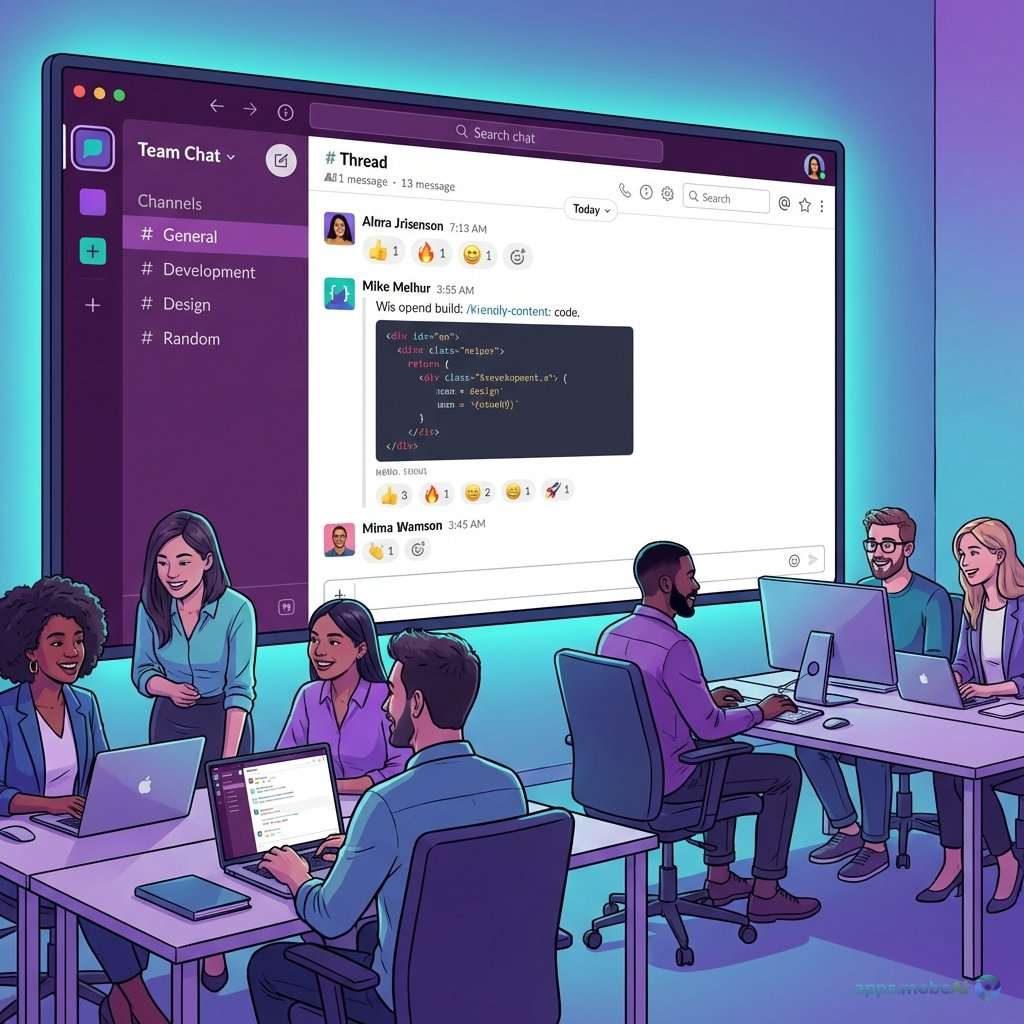
Team chat has become the nervous system of modern organizations, carrying the constant flow of communication that
keeps distributed teams aligned and productive. The shift from email-centric communication to real-time messaging
platforms has fundamentally changed how work happens—faster, more conversational, and more contextual than
traditional correspondence.
Three platforms dominate team communication in 2026: Slack pioneered workplace messaging and continues to refine the
category it created. Microsoft Teams integrates chat within the Microsoft 365 ecosystem. Discord, originally built
for gaming communities, has evolved to serve professional teams seeking different communication culture. Each
platform embodies distinct philosophies about how teams should communicate.
This comprehensive comparison examines these leading team chat platforms across messaging capabilities, integration
options, collaboration features, and pricing models. Whether you’re selecting your first team communication
platform, evaluating alternatives to current tools, or building hybrid communication strategy, you’ll discover which
platform best matches your team’s communication style and organizational needs.
I. The Evolution of Workplace Messaging
Understanding how team chat developed provides context for evaluating current offerings.
Beyond Email Limitations
Email served workplace communication for decades but presents inherent limitations for team collaboration. Thread
management becomes unwieldy with multiple participants. Response times create delays in fast-moving projects.
Information buries in individual inboxes rather than team spaces. The formality of email slows casual but necessary
communication.
Team chat addresses these limitations through persistent channels that organize conversation by topic, instant
messaging that accelerates response, and shared spaces that make information visible to all who need it. The shift
from individual to team-centric communication changes collaborative dynamics fundamentally.
Channel-Based Messaging
Modern team chat organizes around channels—persistent conversation spaces for specific topics, projects, or groups.
Channels create natural organization that emails lack. New team members can review history for context. Information
exists where relevant rather than scattered across inboxes.
Integration Ecosystems
Team chat platforms become work hubs through integration with other business tools. Notifications from project
management, development, and customer service tools flow into chat. Actions trigger from chat interfaces without
switching applications. This integration transforms chat from messaging tool to work orchestration center.
II. Slack: The Category Creator
Slack defined modern team chat, creating the category and continuing to shape its evolution through relentless focus
on workplace communication.
Channel Architecture
Slack’s channel system provides the foundation for team communication. Public channels enable team-wide
conversations. Private channels restrict visibility for sensitive discussions. Shared channels connect separate
Slack workspaces—enabling partner, vendor, and client collaboration within familiar interfaces.
Channel organization accepts various approaches—by project, by function, by topic. Slack Connect extends channels to
external organizations, creating communication bridges that email handles awkwardly. This flexibility accommodates
diverse organizational structures.
Messaging Experience
Slack refines messaging continuously. Threads organize conversations without cluttering channels. Reactions reduce
noise while providing acknowledgment. Scheduled messages respect recipient time zones. Reminders create personal
follow-up systems.
Rich media embedding handles images, videos, and documents inline. Code formatting serves technical teams. Link
unfurling previews content without clicking. These details create polished messaging experience.
Huddles and Video
Slack Huddles provide lightweight audio conversations that start instantly from channels. Video huddles enable
face-to-face conversation without formal meeting scheduling. This capability keeps communication fluid between
messaging and real-time audio/video.
Clips enable recorded video messages—asynchronous video communication that conveys nuance without scheduling
overhead. This feature bridges messaging and meeting formats.
Workflow Builder
Workflow Builder enables automation without code. Create approval workflows, request forms, and automated responses.
Connect workflows to external services through integrations. This capability transforms Slack from communication
tool to process automation platform.
Integration Ecosystem
Slack’s app directory includes thousands of integrations—project management, development, customer support, human
resources, and more. Notifications flow into relevant channels. Actions trigger from Slack interfaces. This
ecosystem creates work hub functionality.
API access enables custom integrations. Organizations build Slack bots that match specific workflows. Developer
ecosystem creates specialized solutions beyond standard integrations.
Slack AI
Slack AI summarizes channels and threads, catching users up on conversations they missed. Search becomes
conversational—ask questions and receive answers synthesized from message history. These AI capabilities address
information overload in active workspaces.
Pricing Structure
Slack Free provides basic functionality with 90-day message history and limited integrations—useful for small teams
with modest needs. Pro at $8.75/user/month adds unlimited history, integrations, and huddle features. Business+ at
$15/user/month adds compliance and security features. Enterprise Grid serves large organizations with specific
administration needs.
Strengths and Limitations
Slack excels through focused messaging experience and integration ecosystem. The platform feels designed for
communication rather than comprehensive collaboration. Workflow automation creates value beyond messaging.
Enterprise features serve regulated industries.
However, Slack lacks built-in video meetings (using huddles for casual calls and integrating with external platforms
for formal meetings). The platform requires additional tools for complete collaboration stack. Pricing accumulates
quickly at scale.
III. Microsoft Teams: Unified Collaboration
Microsoft Teams integrates chat within comprehensive collaboration platform, providing messaging as part of meeting,
file sharing, and productivity tool integration.
Team and Channel Structure
Teams organizes around Teams—groups matching departments, projects, or purposes—each containing channels for specific
topics. This two-level organization differs from Slack’s flatter channel approach. Standard and private channels
provide visibility control.
Shared channels enable cross-organization collaboration like Slack Connect. Guest access brings external participants
into Teams environments for project collaboration.
Messaging Features
Teams messaging provides expected capabilities—formatting, emoji, reactions, and @mentions. Threads exist but
implement differently than Slack’s threading model. Message editing and deletion provide correction capabilities.
Priority notifications flag urgent messages. Read receipts confirm message viewing. Scheduled messages deliver at
appropriate times. These features serve enterprise communication needs.
Integrated Meetings
Teams integrates video meetings within the same platform as messaging—a significant advantage over Slack’s external
meeting integration. Schedule meetings from channels with integrated calendar. Start instant meetings from chat.
Recording and transcription save meeting content.
This integration creates seamless flow between messaging and meetings. Context exists continuously rather than
switching between applications.
Microsoft 365 Integration
Teams integrates deeply with Microsoft 365 applications. Files shared in Teams connect to SharePoint. Collaborative
editing works on Office documents. Planner provides task management. These integrations create complete work
environment within Teams.
For organizations using Microsoft 365, Teams provides unified experience unavailable through separate tools. Work
happens in one place rather than across multiple applications.
Apps and Automation
Teams supports apps that extend functionality—third-party integrations, custom applications, and bots. Power Automate
provides automation similar to Slack’s Workflow Builder. These capabilities serve workflow customization needs.
Copilot Integration
Microsoft Copilot, the AI assistant, integrates with Teams for conversation summarization, action item extraction,
and intelligent search. These capabilities address information management in active Teams environments.
Pricing Structure
Teams Free provides unlimited chat with 60-minute video meetings. Microsoft 365 Business Basic at $6/user/month
includes Teams with enhanced meetings and cloud storage. Enterprise plans include advanced compliance and security.
Strengths and Limitations
Teams excels through Microsoft 365 integration and comprehensive collaboration features. One platform handles
messaging, meetings, files, and productivity tools. Enterprise security and compliance serve regulated
organizations. Pricing bundles with Microsoft 365 provide value.
However, Teams’ comprehensiveness creates complexity. The interface presents many features that can overwhelm users
wanting simple messaging. Performance requires adequate system resources. Organizations not using Microsoft 365 gain
less integration value.
IV. Discord: Community-Centric Communication
Discord emerged from gaming community needs but has evolved to serve professional teams seeking different
communication culture than traditional enterprise tools.
Server Structure
Discord organizes around servers—independent communities with their own channels, roles, and settings. Categories
group related channels. Voice channels provide persistent audio spaces—distinct from Slack’s huddles or Teams’
meetings.
Role-based permissions control access and capabilities granularly. Community management features reflect Discord’s
community-building heritage. These capabilities suit organizations valuing community culture.
Voice and Presence
Discord’s voice capabilities differ fundamentally from competitors. Persistent voice channels create “always-on”
audio spaces that team members join and leave casually—mimicking office presence rather than scheduled meetings.
Screen sharing and video extend voice channels into visual collaboration.
This approach suits teams wanting ambient co-presence without meeting formality. Remote teams recreate spontaneous
office interaction through persistent voice.
Messaging Features
Text messaging provides threading, reactions, and rich media embedding. Forum channels organize discussions
differently than flowing chat. Stage channels enable broadcast events with selected speakers.
Discord’s messaging feels more casual than enterprise tools—reflecting gaming community origins. This culture suits
some teams while feeling inappropriate for others.
Bot Ecosystem
Discord’s bot ecosystem provides extensive automation and integration. Bots handle moderation, welcome messages,
integrations with external services, and custom functionality. This extensibility creates flexibility comparable to
Slack’s integration capability.
Business Features
Discord’s commercial features have expanded for business use. Server management tools provide administrative control.
Ticketing and support features serve customer-facing use cases. These additions make Discord increasingly viable for
professional contexts.
Pricing Structure
Discord provides extensive free functionality—unlimited messages, channels, and basic voice. Nitro at $99.99/year
adds larger file uploads, higher quality streaming, and cosmetic features. Server boosts enhance specific server
capabilities.
For business features, Discord continues developing commercial offerings with varying feature sets and pricing.
Strengths and Limitations
Discord excels for teams valuing community culture and persistent voice presence. The platform creates social
dynamics that enterprise tools lack. Pricing provides exceptional value for feature capability. Gaming heritage
creates comfort for tech-native teams.
However, Discord lacks enterprise compliance and security features that regulated industries require. Professional
reputation carries gaming association that concerns some organizations. Administrative capabilities don’t match
enterprise tools. Integration ecosystem differs from business-focused platforms.
V. Feature Comparison
Comparing these platforms across key dimensions clarifies their relative strengths.
Comparison Table
| Feature | Slack | Microsoft Teams | Discord |
|---|---|---|---|
| Video Meetings | Huddles | Integrated | Voice Channels |
| File Storage | Limited | SharePoint | Basic |
| Enterprise Security | Strong | Comprehensive | Limited |
| Starting Price | $8.75/mo | $6/mo | Free |
| Best For | Focused Chat | MS365 Orgs | Community |
Communication Culture
Each platform embodies different communication culture. Slack maintains professional messaging focus. Teams
integrates chat within formal collaboration. Discord creates casual community dynamics. Team culture should align
with platform character.
Integration Approach
Slack’s app ecosystem suits organizations using diverse best-of-breed tools. Teams’ Microsoft 365 integration serves
Microsoft-centric organizations. Discord’s bot ecosystem provides flexibility with less enterprise tool focus.
VI. Selecting the Right Platform
Platform selection should consider organizational context, existing tools, and communication culture.
For Microsoft 365 Organizations
Organizations using Microsoft 365 should default to Teams. Integration creates seamless workflow. Licensing often
includes Teams without additional cost. The unified environment serves comprehensive collaboration needs.
For Best-of-Breed Tool Strategies
Organizations preferring specialized tools over platform bundles often choose Slack. The focused messaging experience
complements separate meeting, file, and productivity tools. Integration ecosystem connects diverse applications.
For Tech-Native and Startup Teams
Discord’s community culture and pricing suit tech-native teams, startups, and creative organizations. Persistent
voice channels create social dynamics that support remote culture building. Cost efficiency matters for
resource-constrained organizations.
For Enterprise and Regulated Industries
Compliance requirements often drive platform selection. Teams and Slack provide enterprise security and compliance
features. Discord’s capabilities here remain limited for strict requirements.
VII. Conclusion
Slack, Microsoft Teams, and Discord each serve team communication with distinct approaches and strengths. Selection
increasingly depends on organizational ecosystem and culture rather than feature capability gaps.
Microsoft 365 organizations should evaluate Teams first. The integration value and licensing efficiency create
compelling default. Organizations seeking focused messaging excellence may still prefer Slack, but Teams’ messaging
capabilities have matured substantially.
Slack serves organizations wanting best-of-breed tool strategy with premier messaging experience. The integration
ecosystem and workflow automation provide value beyond basic chat. Enterprise features serve compliance needs.
Discord suits teams valuing community culture and persistent voice presence. The platform creates social dynamics
that enterprise tools struggle to replicate. Cost efficiency provides additional appeal for budget-conscious
organizations.
Ultimately, team communication success depends on usage rather than feature availability. Clear communication norms,
appropriate channel organization, and healthy notification management matter more than platform selection. Choose
tools that match team culture, then focus on the practices that make communication actually work.