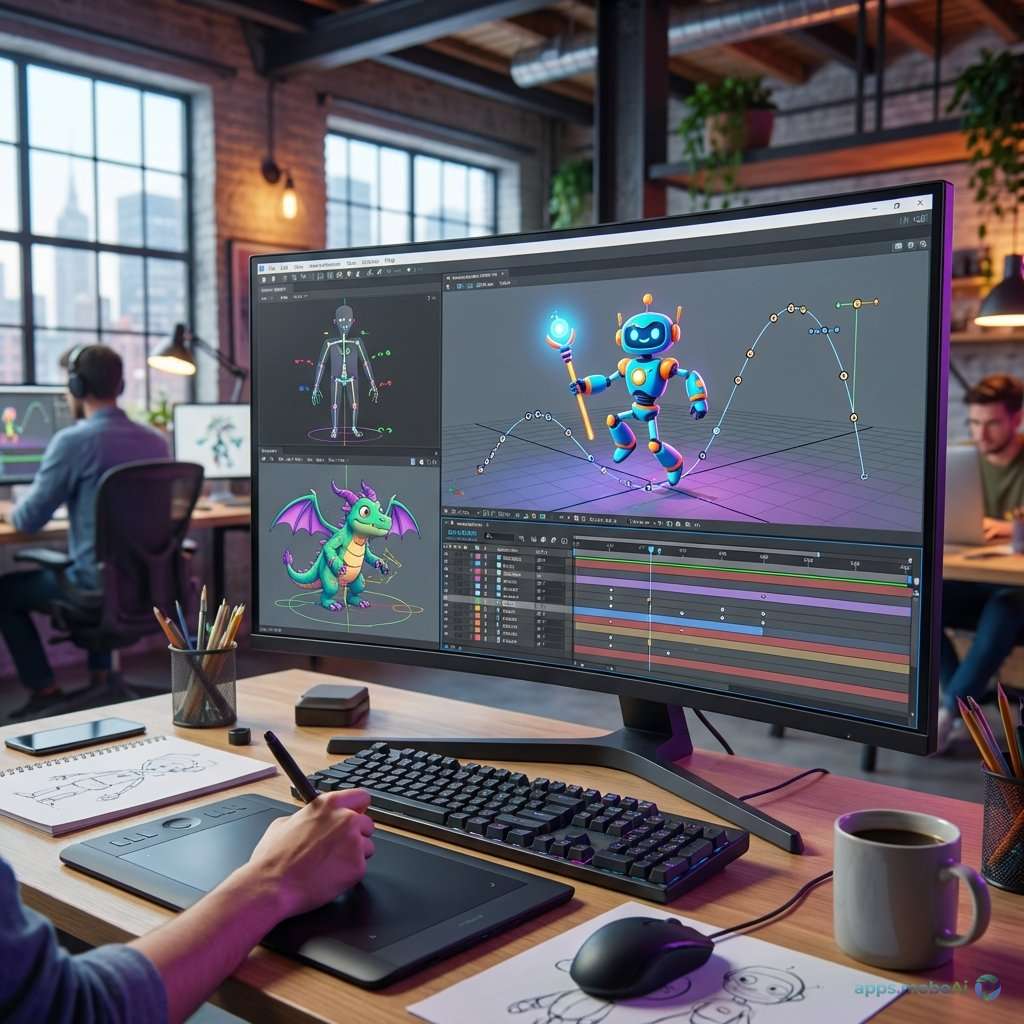
Animation transforms static ideas into living, breathing visual experiences that captivate audiences across every
medium. From character-driven storytelling to explanatory motion graphics, from independent artistic expression to
blockbuster visual effects, animation serves creative needs that static imagery simply cannot address.
The animation software landscape in 2026 offers remarkable diversity—free tools that produce professional results,
specialized applications that excel at specific styles, and comprehensive platforms that handle everything from
traditional frame-by-frame animation to complex 3D character work. This breadth enables creators at every budget and
skill level to bring their visions to motion.
This comprehensive guide examines animation software across categories, comparing capabilities, workflows, and
pricing for 2D animation, 3D animation, motion graphics, and specialized approaches. Whether you’re creating
animated shorts, social media content, explainer videos, or studio-quality productions, you’ll discover software
that matches your creative goals and practical requirements.
I. Understanding Animation Categories
Animation encompasses diverse techniques that serve different creative visions and production needs.
Traditional 2D Animation
Frame-by-frame animation creates motion through individually drawn frames, following techniques established by
classical animation studios. Each frame exists as a separate drawing, with slight changes creating smooth motion
when played in sequence. This approach offers maximum artistic control but demands significant time investment.
Modern 2D animation software still supports this traditional approach while adding digital advantages—onion skinning
displays previous and upcoming frames, digital brushes simulate traditional media, and easy frame manipulation
accelerates production without sacrificing artistic integrity.
Vector-Based Animation
Vector animation moves and transforms shapes rather than redrawing each frame. Rigged characters with interconnected
parts animate through movement and rotation rather than redrawing. This approach dramatically accelerates production
for certain styles, particularly graphic illustration looks.
Tweening automatically creates intermediate frames between keyframes. Motion paths guide object movement along
curves. These automation features enable rapid animation that would be impractical frame-by-frame.
3D Animation
Three-dimensional animation manipulates digital models in virtual space. Characters with skeletal rigs deform through
pose-to-pose animation. Cameras navigate three-dimensional environments. Lighting and materials create depth
impossible in 2D. The learning curve is steeper, but possibilities expand enormously.
Motion Graphics
Motion graphics animate graphic design elements—typography, shapes, icons, and visual compositions. Broadcast
graphics, explainer videos, social media content, and title sequences fall within this category. Motion graphics
often combine 2D and 3D elements with video footage.
Stop Motion
Stop motion animates physical objects photographed frame by frame. Software assists by displaying previous frames as
onion skins, controlling cameras, and editing sequences. The technique creates distinctive tactile aesthetics
impossible to replicate digitally.
II. 2D Animation Software
Dedicated 2D animation software serves traditional animators and those creating frame-based or rigged 2D content.
Toon Boom Harmony
Harmony represents the professional standard for 2D animation, used by major studios producing television series and
feature films. Its comprehensive toolset handles every aspect of 2D production from drawing through compositing.
The drawing tools simulate traditional media with pressure-sensitive brushes and pencils. Vector and bitmap workflows
both function within the same project. Advanced rigging creates characters that animate efficiently while
maintaining hand-drawn aesthetics.
Compositing capabilities enable complex scene construction with multiple layers, effects, and cameras. Network-based
workflow connects to studio pipelines. These capabilities explain Harmony’s professional adoption despite
substantial learning investment.
Pricing runs from $27/month for Essentials through $116/month for Premium, with perpetual licenses available at
significant cost.
TVPaint Animation
TVPaint focuses specifically on traditional frame-by-frame animation with exceptional brush simulation. The software
aims to replicate the feel of actual animation paper and pencils while adding digital advantages.
Animation workflow centers on the exposure sheet, organizing frames and timing traditionally. Onion skinning displays
previous drawings as faded references. Light table functionality enables precise in-betweening.
Professional edition at €1250 perpetual serves studio animation. The focused approach suits animators who prioritize
drawing feel over automation features.
Clip Studio Paint
While primarily an illustration tool, Clip Studio Paint provides capable animation features that have attracted a
dedicated animation community. Frame-by-frame creation within a drawing-focused environment suits animators who
prioritize art quality.
The EX version at $219 perpetual includes the full animation toolset with timeline, onion skins, and export
capabilities. The established illustration community provides abundant resources for learning animated workflows.
OpenToonz
OpenToonz provides free, open-source 2D animation software based on Toonz, which Studio Ghibli has used for
productions including the Oscar-winning Spirited Away. Professional capability at zero cost has attracted
independent animators worldwide.
Scanning and cleanup tools convert traditional drawings to digital. Vector drawing and effects enable complete
digital workflows. While the interface shows age, capability remains serious.
Krita Animation
Krita, the free open-source digital painting application, includes frame-by-frame animation capabilities. For artists
already comfortable with Krita’s painting tools, animation extends naturally from their existing workflow.
The animation timeline handles frame-by-frame work with onion skinning. Export to video formats enables final output.
While not matching dedicated animation software depth, Krita provides genuine animation capability at zero cost.
III. Motion Graphics and Compositing
Motion graphics software animates designed elements, combining animation with video compositing.
Adobe After Effects
After Effects dominates motion graphics with a market position that approaches monopoly in professional environments.
Two decades of development have created comprehensive capabilities that competitors struggle to match.
Layer-based composition enables complex visual construction. Keyframe animation controls every property. Expressions
add procedural behavior through scripting. Effects processing transforms footage and graphics.
Shape layers create animated vector graphics. Text animation formats typography with sophisticated controls. Particle
systems generate complex visual effects. Tracking matches graphics to video motion.
Extensive plugin ecosystem extends capabilities—Element 3D adds 3D rendering, Trapcode provides particle effects,
Duik enables character rigging. These plugins represent significant investment but address professional
requirements.
After Effects costs $22.99/month as part of Creative Cloud subscription, with full Creative Cloud at $59.99/month.
Apple Motion
Motion provides motion graphics capability for Mac users at a fraction of After Effects’ cost. Integration with Final
Cut Pro creates efficient video production workflow.
Real-time playback enables immediate feedback without rendering wait. Behaviors apply physics-based movement
automatically. Replicators create pattern-based animation. Particle systems generate complex effects.
At $49.99 one-time purchase, Motion offers remarkable value for Mac users. Feature depth doesn’t match After Effects,
but many projects work within Motion’s capable feature set.
DaVinci Resolve Fusion
Fusion, integrated free within DaVinci Resolve, provides node-based compositing and motion graphics. The node
approach differs from After Effects’ layers but enables complex compositing that layers struggle to organize.
3D workspace handles genuine 3D compositing beyond 2.5D layer approach. Particle systems and physics create complex
effects. Integration with Resolve editing minimizes application switching.
The free version provides complete Fusion capability—remarkable value for indie creators.
Cavalry
Cavalry takes a fresh approach to motion graphics through procedural animation. Rather than keyframing individual
properties, rules and behaviors generate animation from data and relationships.
Data-driven animation excels for infographics and visualizations. Procedural generation creates complexity beyond
practical manual keyframing. The approach suits motion designers thinking programmatically.
At $35/month for Pro, Cavalry offers an alternative approach for creators comfortable with its procedural thinking.
IV. 3D Animation Software
3D animation software provides character animation, environmental storytelling, and visual effects capabilities.
Blender
Blender’s free animation capabilities rival commercial alternatives. The complete pipeline—modeling, rigging,
animation, simulation, rendering—functions within a single free application.
Character animation through armature rigging handles professional requirements. Grease Pencil enables 2D animation
within the 3D environment. Physics simulations create realistic cloth, hair, and destruction.
Cycles and EEVEE rendering produce quality imagery. The active community creates tutorials and resources abundantly.
Professional studios increasingly adopt Blender, validating its capability.
Maya
Maya remains the industry standard for character animation in film and games. Rigging and animation tools reflect
decades of professional refinement.
Human IK provides standardized character rigging. Animation layers enable non-destructive workflow. Motion capture
integration handles performance-driven animation. Graph editor provides precise curve control.
At $1,875/year, Maya represents serious investment justified by industry-standard position and comprehensive
capability.
Cinema 4D
Cinema 4D’s MoGraph tools excel at procedural animation—objects reacting to fields and effectors, clone patterns
animating in choreographed motion. This approach differs from character animation but produces stunning motion
graphics.
Character animation works adequately for motion graphics needs without matching Maya’s depth. The accessible
interface suits motion designers expanding into 3D.
V. Specialized Animation Tools
Specialized applications serve specific animation niches with focused capabilities.
Adobe Character Animator
Character Animator uses webcam tracking to drive puppet animation in real time. Facial expressions and speech
automatically animate characters, enabling live animation and rapid production.
The approach suits social media content, live streaming overlays, and rapid turnaround projects. Artists create
puppets that perform immediately without traditional animation labor.
Synfig Studio
Synfig provides free, open-source vector animation with automatic tweening. The bone system enables rigged character
animation. Vector approach maintains quality at any resolution.
While the interface requires learning, Synfig capability serves animators with limited budgets effectively.
Stop Motion Studio
Stop Motor Studio controls camera capture for stop motion animation. Onion skinning overlays previous frames for
precise positioning. Integration with cameras streamlines capture workflow.
Free version provides basic capture; Pro at $9.99 adds advanced features. The focused tool does one thing well.
Dragonframe
Dragonframe represents professional stop motion control, used on major productions including Kubo and the Two Strings
and Missing Link. While expensive at $395, the software provides camera control, lighting integration, and workflow
features that serious stop motion demands.
VI. Feature Comparison
Comparing animation software across key dimensions helps match tools to specific needs.
Comparison Table
| Software | Type | Price | Best For |
|---|---|---|---|
| After Effects | Motion Graphics | $23/mo | Professional MoGraph |
| Blender | 3D/2D (Grease Pencil) | Free | Indie Productions |
| Toon Boom | 2D Traditional | $27-116/mo | TV/Film 2D |
| Clip Studio | 2D Frame-by-Frame | $219 once | Illustration+Animation |
| DaVinci Fusion | Compositing/VFX | Free | Video Integration |
For Character Animation
Toon Boom Harmony leads for professional 2D character animation. Maya dominates 3D character work. Blender
increasingly serves both with free capable tools.
For Motion Graphics
After Effects remains the industry standard with unmatched ecosystem. Motion provides excellent value for Mac users.
Fusion offers free capability within Resolve.
For Independent Creators
Blender and its Grease Pencil provide comprehensive animation at zero cost. OpenToonz offers free 2D with
professional heritage. These free tools enable independent production without software budget.
VII. Choosing Animation Software
Selection depends on animation style, budget, and career intentions.
For Beginners
Start with free options—Blender for 3D interest, Krita for traditional 2D drawing, OpenToonz for dedicated 2D
animation. Learning without financial pressure enables exploration. Skills transfer when upgrading tools.
For Motion Designers
After Effects knowledge remains essential for professional motion design. The industry standardization makes it
nearly unavoidable. Mac-only Motion provides cost-effective alternative for personal projects.
For 2D Animators
Aspiring television animators should learn Toon Boom Harmony—studio pipelines assume this knowledge. Independent
animators can produce quality work with Clip Studio, OpenToonz, or Blender Grease Pencil.
For 3D Artists
Blender provides remarkable free capability for learning and independent work. Maya investment makes sense for
employment in studios using industry-standard tools.
VIII. The Animation Pipeline
Complex animation productions often combine multiple specialized tools.
Pre-Production
Storyboarding software like Storyboard Pro visualizes sequences. Animatic editing establishes timing. These planning
stages precede actual animation production.
Asset Creation
Character designs, backgrounds, and props may originate in different applications. Illustration software like
Procreate or Photoshop creates designs that animation software implements.
Animation Production
Core animation occurs in dedicated animation software. Different scenes may use different techniques—2D characters on
3D backgrounds, motion graphics interludes in narrative animation.
Post-Production
Compositing combines elements, adds effects, and finishes scenes. Color grading, sound design, and final output
complete productions. After Effects, Fusion, or proprietary compositing handles these finishing stages.
IX. Learning Animation
Animation skill development matters more than tool selection.
Animation Principles
The twelve principles of animation—timing, easing, squash and stretch—apply regardless of software. Understanding
motion fundamentals transfers across every tool. Study animation principles before specializing in software.
Online Resources
YouTube tutorials cover every major animation application. Skillshare and Coursera provide structured courses.
Software-specific communities offer support and feedback. Animation learning has never been more accessible.
Practice and Portfolio
Animation skill develops through practice. Complete projects rather than endless tutorials. Build portfolio
demonstrating capability. Professional opportunities follow demonstrated skill regardless of software choice.
X. Future Directions
Animation software continues evolving with technology trends.
AI Assistance
AI tools increasingly assist animation—generating in-between frames, automating lip sync, suggesting motion. These
tools augment artists rather than replacing them, accelerating production without eliminating creative control.
Real-Time Animation
Game engine integration brings real-time animation to traditional workflows. Unreal Engine’s virtual production
techniques apply to animation. Real-time rendering eliminates long render waits.
Accessibility Improvement
Animation tools continue becoming more accessible. Free options reach professional capability. Learning resources
multiply. The barrier to animation creation continues lowering.
XI. Conclusion
Animation software in 2026 offers unprecedented capability at every budget level. Free tools like Blender and
OpenToonz enable professional-quality production. Industry standards like After Effects and Toon Boom maintain value
through comprehensive capabilities and market position. Specialized tools serve specific niches from stop motion to
live performance.
For most aspiring animators, starting with free tools makes practical sense. Blender’s comprehensive capability
covers 3D animation, 2D through Grease Pencil, and video editing in a single free application. This enables learning
and production without software investment.
Motion designers should invest in After Effects mastery—the industry standardization makes it essentially required
for professional work. Mac users can start with Motion for personal projects while learning After Effects for
professional opportunities.
Traditional 2D animators face choices between professional-focused tools like Toon Boom and accessible options like
Clip Studio or OpenToonz. Career intentions—studio employment versus independent work—should guide investment
decisions.
Ultimately, animation skill matters more than software selection. The ability to create compelling motion, tell
stories visually, and bring ideas to life develops through practice and study of animation principles. Choose tools
that enable your learning without excessive financial burden, then focus on developing the artistic skills that make
animation genuinely captivating.

.jpg)