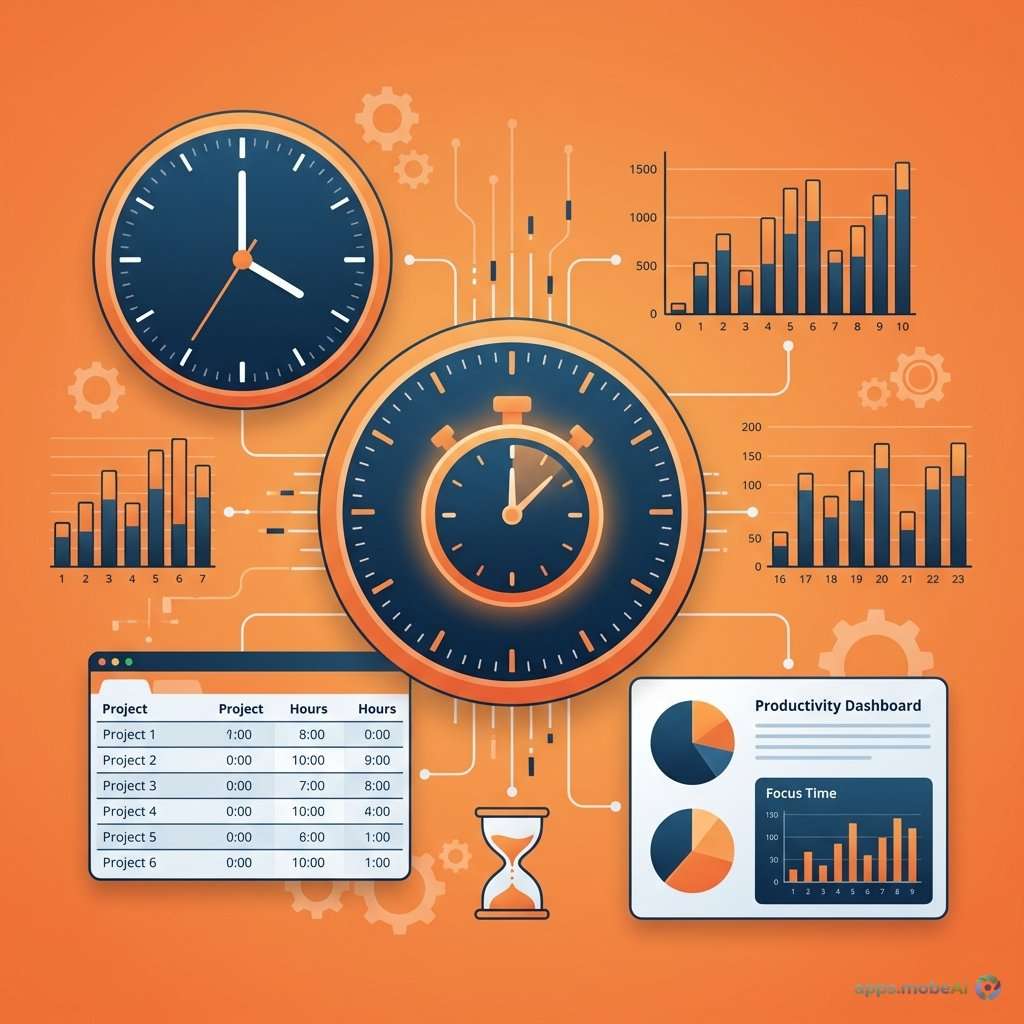
Time tracking has become essential for freelancers and remote workers navigating the complexities of modern work
arrangements. Whether billing clients accurately, understanding where productive hours actually go, or demonstrating
accountability to employers, tracking time effectively transforms vague work patterns into actionable insights.
The time tracking application market in 2026 offers options for every workflow preference—from simple timers
requiring minimal interaction to comprehensive platforms integrating project management, invoicing, and team
coordination. Understanding these options helps you select a tool that captures time accurately without creating
additional overhead.
This comprehensive guide examines the leading time tracking applications for freelancers and remote workers,
comparing their tracking methods, reporting capabilities, integration options, and pricing structures. By matching
your specific workflow needs to available tools, you’ll find the right balance between tracking accuracy and user
friction.
I. The Case for Time Tracking
Before examining specific tools, understanding the benefits of time tracking motivates consistent usage—the key to
deriving value from any tracking approach.
Accurate Client Billing
Freelancers billing by the hour need precise records to invoice clients fairly. Underestimating time leaves money on
the table; overestimating damages client relationships. Tracked time provides documentation supporting invoices and
protecting against disputes.
Even fixed-price projects benefit from tracking. Understanding how long projects actually take improves future
estimates. Discovering that “quick” tasks consistently require hours informs pricing adjustments.
Productivity Insights
Time tracking reveals where hours actually go versus where we intend them to go. The gap between perception and
reality often surprises even experienced professionals. Administrative tasks, context switching, and interruptions
consume more time than most people realize.
Data-driven insights enable evidence-based productivity improvements. Rather than implementing generic advice,
tracked data highlights your specific optimization opportunities.
Remote Work Accountability
Remote workers may need to demonstrate productive engagement for employers or clients. Time tracking provides
objective evidence of work performed without requiring constant synchronous check-ins. This documentation protects
workers against unfair criticism while building trust.
Work-Life Boundary Protection
Remote work blurs boundaries between professional and personal time. Tracking explicitly marks work periods, making
overwork visible and supporting conversations about workload. Data helps maintain sustainable working patterns.
II. Toggl Track: The User-Friendly Standard
Toggl Track has long dominated the time tracking market through its emphasis on simplicity and user experience. Its
colorful interface and one-click tracking reduce friction that discourages consistent usage.
Tracking Methods
Toggl’s primary interface centers on a prominent timer button. Starting and stopping requires single clicks—the
simplest possible interaction. Project and task assignment can happen during or after tracking, accommodating
different workflow preferences.
The Autotracker feature monitors active applications and suggests time entries based on computer activity. This
passive tracking catches forgotten timers and provides data even when manual tracking lapses. Users review and
approve suggested entries rather than having them recorded automatically.
Calendar integration displays tracked time alongside scheduled events, revealing gaps between planned and actual time
allocation. This visual feedback helps improve scheduling accuracy over time.
Reporting and Analytics
Toggl provides clear visualizations of tracked time across projects, clients, and time periods. Customizable reports
filter data by various dimensions. Export options support external analysis or client reporting requirements.
The Insights feature (premium) analyzes patterns to identify productivity trends, peak working hours, and time
allocation across project types. This intelligence helps optimize workload distribution and scheduling.
Integrations
Toggl integrates with over 100 applications including project management tools, calendars, and invoicing systems.
Chrome and Firefox extensions add timer buttons to integrated applications. Mobile apps maintain tracking across
devices.
Pricing Structure
Toggl Track’s free tier provides unlimited tracking for up to five users. Core features—timer, manual entry, basic
reports—work without payment. This generous free tier suffices for individual freelancers.
Starter plans at $9 per user monthly add billable rates, project time estimates, and reminders. Premium at $18 per
user monthly includes advanced scheduling, tracking reminders, and project forecasting. Enterprise pricing is
custom-quoted.
Strengths and Limitations
Toggl excels at making time tracking feel effortless. The interface design encourages consistent use rather than
creating resistance. The free tier provides genuine utility without limitation frustrations.
However, invoicing requires external tools—Toggl records time but doesn’t generate invoices directly. Advanced
project management features require moving to dedicated project management platforms. Some users find the colorful
interface distracting.
III. Clockify: The Free Full-Featured Option
Clockify provides remarkably complete time tracking functionality without usage limitations, making it the leading
free option for budget-conscious freelancers and small teams.
Tracking Methods
Clockify offers timer, manual entry, timesheet, and kiosk modes for different tracking contexts. The browser
extension adds timers to numerous web applications. Desktop applications provide system-level tracking with idle
detection.
Automatic time tracking on desktop apps records application usage for later review. Unlike Toggl’s suggestions,
Clockify can create entries automatically from detected activity—though this aggressive approach may not suit all
users.
Reporting and Analytics
Reporting capabilities rival paid competitors. Summary, detailed, and weekly reports cover standard needs. Saved
reports enable recurring analysis without rebuilding filters. Dashboard visualizations provide at-a-glance status
updates.
Time audit features identify scheduling conflicts and unusual entries. This data quality monitoring helps maintain
accurate records over time.
Additional Features
Clockify includes features often restricted to paid tiers elsewhere: time off tracking, scheduling, and basic
invoicing. The free tier supports unlimited users, making it viable for team use without scaling costs.
Kiosk mode enables shared device time tracking—useful for on-site freelancers or agencies with shared workspaces.
Pricing Structure
The free tier includes unlimited time tracking, users, projects, and reports. Most freelancers never need to
upgrade—unusual generosity in software markets.
Basic plans at $3.99 per user monthly add time off management, targets, and administrative features. Standard at
$5.49 adds scheduling and time audit. Pro at $7.99 includes GPS tracking and budget alerts. Enterprise at $11.99
adds SSO and advanced security.
Strengths and Limitations
Clockify’s free tier genuinely serves as a complete product rather than a frustration-generating trial. Feature depth
matches or exceeds most paid competitors. The low cost of premium features makes upgrading painless when growth
requires advanced capabilities.
However, the interface feels utilitarian compared to Toggl’s polish. Mobile apps occasionally lag in feature updates.
Support response times on free tiers don’t match paid services.
IV. Harvest: Time Tracking with Invoicing
Harvest integrates time tracking directly with invoicing, eliminating the gap between recording work and billing for
it. This combination suits freelancers who want end-to-end workflow in a single tool.
Tracking Methods
Harvest’s tracking emphasizes project and task context from the start. Each time entry associates with billable or
non-billable status, client, project, and task—keeping billing information organized throughout the workday.
Weekly timesheets provide spreadsheet-style entry for users who prefer batch time recording over continuous timers.
Browser extensions and mobile apps extend tracking across all devices.
Invoicing Integration
Creating invoices from tracked time requires minimal effort. Uninvoiced time appears in summaries; selecting entries
and generating invoices happens in a few clicks. Customizable invoice templates maintain professional branding.
Invoice tracking shows sent status, client views, and payment receipt. Integration with payment processors enables
direct online payment collection. This end-to-end flow reduces administrative overhead substantially.
Expense Tracking
Harvest tracks expenses alongside time, enabling comprehensive project costing. Receipt attachment, categorization,
and client billing for expenses integrate with overall invoicing. Freelancers who incur reimbursable expenses
appreciate this inclusion.
Pricing Structure
Harvest’s free tier limits to one seat and two projects—sufficient for trying the platform but restrictive for active
freelancers.
The Pro plan at $10.80 per seat monthly removes all limitations. No feature tiering exists—all users get full
functionality regardless of team size. This simple pricing avoids nickel-and-diming for specific capabilities.
Strengths and Limitations
Harvest excels for freelancers wanting time-to-invoice workflow without juggling multiple tools. Expense tracking
adds value for those with reimbursable costs. The simple pricing structure avoids calculation complexity.
However, the free tier’s limitations push users toward payment quickly. Reporting depth trails dedicated analytics
tools. Users not needing invoicing pay for bundled features they won’t use.
V. RescueTime: Automatic Productivity Tracking
RescueTime takes a fundamentally different approach—automatic background tracking rather than intentional time entry.
This passive monitoring suits users who forget to start timers or want productivity insights without manual logging.
Automatic Tracking
RescueTime runs silently in the background, recording time spent in applications and websites. No timer starting or
stopping—all computer activity captures automatically. Mobile versions extend tracking to phone and tablet usage.
Categorization algorithms assign productivity scores to applications and websites. Email might register as neutral;
social media as distracting; code editors as productive. Users can adjust default categorizations to match their
specific work patterns.
Productivity Analytics
The focus of RescueTime is analysis rather than billing. Productivity scores show patterns over days, weeks, and
months. Goal tracking monitors progress toward time allocation targets. Comparisons reveal how productive periods
differ from typical days.
Focus time tracking identifies uninterrupted work periods—increasingly rare and valuable in distraction-rich
environments. Understanding when focus happens enables protecting those periods.
Focus Tools
RescueTime includes distraction-blocking features that enforce focused work. Blocking access to distracting sites
during focus sessions helps maintain concentration. Scheduled focus sessions automate productivity periods.
Pricing Structure
Free tiers provide limited reporting history (one week) and basic features. RescueTime Lite (free) offers sufficient
functionality for basic productivity awareness.
Premium at $12 monthly ($78 annually) unlocks full history, detailed reports, goal features, and distraction
blocking. The single tier simplifies purchasing decisions.
Strengths and Limitations
RescueTime captures data that manual tracking misses—no one remembers to log quick email checks or brief social media
visits. This completeness provides honest productivity pictures without relying on memory or discipline.
However, automatic tracking doesn’t support client billing—you can’t invoice based on application usage patterns.
Privacy concerns may arise in some work environments. The tool reveals patterns but requires user initiative to act
on insights.
VI. Comparison and Selection Guide
Different freelance contexts favor different tools.
Feature Comparison
| Feature | Toggl Track | Clockify | Harvest | RescueTime |
|---|---|---|---|---|
| Manual Timer | Yes | Yes | Yes | No |
| Auto Tracking | Suggestions | Yes | No | Automatic |
| Invoicing | No | Basic | Yes | No |
| Free Tier | 5 users | Unlimited | 1 user, 2 projects | Limited history |
| Best For | UX-focused freelancers | Budget-conscious | Invoice integration | Productivity analysis |
For Hourly Client Billing
Harvest provides the most streamlined path from tracking to invoicing. Freelancers billing significant hours
regularly benefit from integrated end-to-end workflow.
For Budget-Conscious Freelancers
Clockify’s genuinely unlimited free tier provides complete functionality without cost. The value proposition remains
unmatched in the time tracking space.
For UX-Sensitive Users
Toggl’s interface design reduces friction that might otherwise discourage consistent tracking. Users who abandon
tools due to interface frustration should prioritize Toggl’s refined experience.
For Productivity Analysis
RescueTime captures complete data that manual tracking cannot match. Users seeking honest productivity insights
rather than billing documentation benefit from automatic monitoring.
VII. Time Tracking Best Practices
Tool selection matters less than consistent, sustainable usage.
Reduce Entry Friction
Configure tracking tools for minimum clicks per entry. Use keyboard shortcuts, browser extensions, and mobile
quick-add features. Every additional step reduces the likelihood of consistent tracking.
Track in Real Time
Reconstructing time at day’s end proves inaccurate and time-consuming. Start and stop timers as work happens rather
than relying on memory. Automatic tracking tools circumvent this challenge entirely.
Choose Appropriate Granularity
Tracking every five-minute task creates overhead without proportional insight. Find granularity that provides useful
data without excessive management burden. Most freelancers benefit from project-level rather than minute-by-minute
tracking.
Review Regularly
Tracked data provides value only when reviewed. Weekly reviews identify patterns, catch errors, and inform
adjustments. Monthly summaries support invoicing and planning. Data without review becomes wasted effort.
Integrate with Existing Workflows
Time tracking should fit naturally into work patterns rather than requiring separate attention. Browser integrations
that add timers to existing tools reduce friction compared to switching to dedicated tracking applications.
VIII. Privacy and Security Considerations
Time tracking data contains sensitive information about work patterns, clients, and productivity.
Data Ownership
Understand where tracked data resides and who has access. Cloud-based tools store data on external servers;
local-only tools keep information on your devices. Export capabilities ensure data portability if switching tools.
Client Confidentiality
Project and client names in tracking systems may expose confidential relationships. Generic project codes can protect
sensitive client information from team members or potential data breaches.
Personal Privacy
Automatic tracking tools record detailed activity patterns. Consider whether having complete records of your computer
usage creates uncomfortable surveillance dynamics, even if self-imposed.
IX. Advanced Strategies
Experienced trackers develop sophisticated approaches beyond basic timing.
Time Budgeting
Allocate estimated hours to projects before work begins. Compare actual tracking against budgets to identify
estimation accuracy and scope creep. This discipline improves project profitability over time.
Productivity Scoring
Assign productivity values to different activity types. Analyze time allocation across productivity categories rather
than just total hours. This perspective reveals whether hours translate into meaningful output.
Reporting to Clients
Share time reports with clients proactively, building transparency and trust. Regular visibility into work progress
reduces surprise at invoice time. Some clients appreciate detailed breakdowns; others prefer summaries—adapt to
preferences.
X. Conclusion
Time tracking has evolved from simple billing necessity to comprehensive productivity tool. Modern applications offer
options for every workflow preference—from Toggl’s polished simplicity to Clockify’s generous free features to
Harvest’s billing integration to RescueTime’s automatic insights.
The best time tracker is one you’ll actually use consistently. Start with free tiers to develop habits before
investing in premium features. Focus on reducing friction rather than maximizing features. Simple, sustainable
tracking provides more value than sophisticated systems used inconsistently.
Freelancers and remote workers who master time tracking gain visibility into their most valuable resource. This
awareness enables better pricing, improved productivity, and healthier work-life boundaries. The initial investment
in establishing tracking habits pays dividends throughout your professional life.

.jpg)