Calendar applications serve as the backbone of modern time management, helping individuals and teams coordinate
schedules, track appointments, and maintain productive routines. While the concept of a digital calendar seems
straightforward, the leading applications in 2026 offer vastly different approaches to scheduling that can
significantly impact your daily productivity.
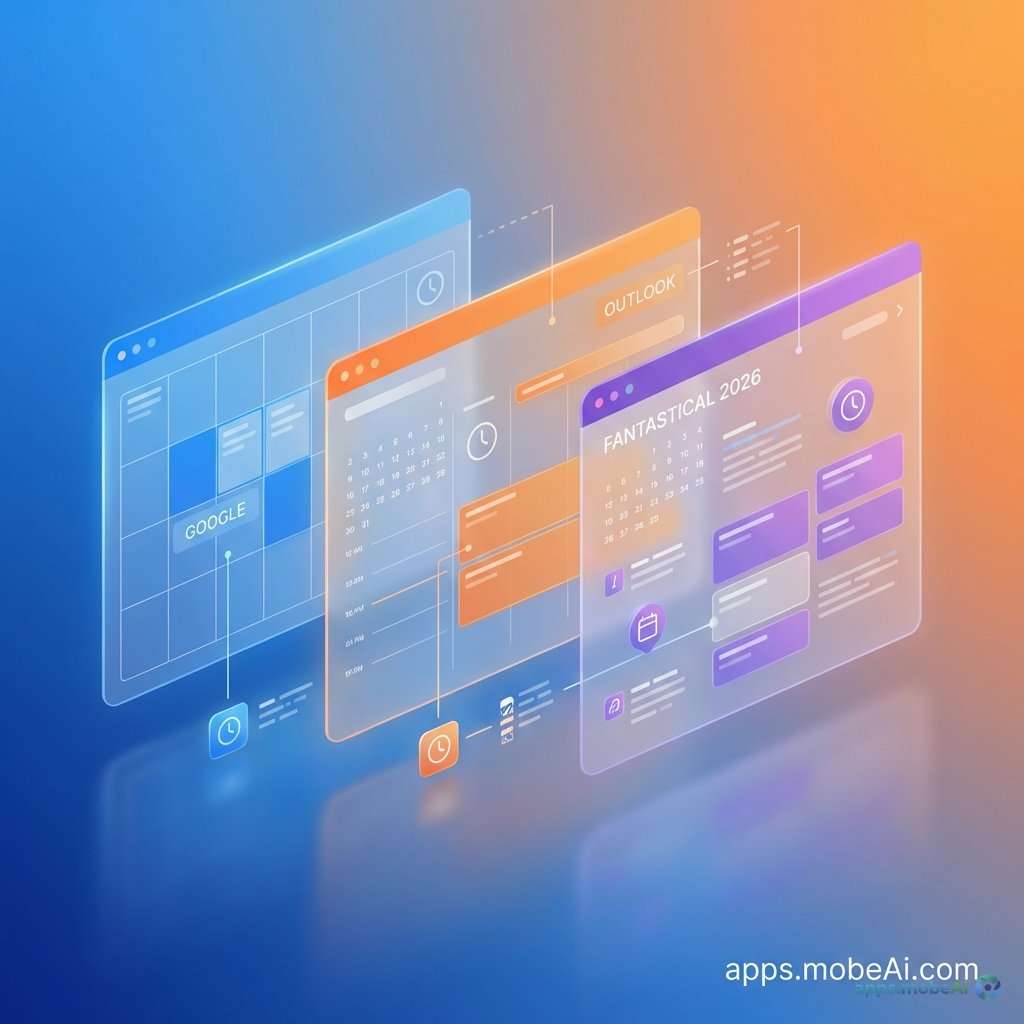
The three dominant players in the calendar application space—Google Calendar, Microsoft Outlook, and Fantastical—each
bring unique philosophies to time management. Google Calendar emphasizes accessibility and integration with the
broader Google ecosystem. Outlook provides enterprise-grade scheduling with deep Microsoft 365 connectivity.
Fantastical offers premium design and natural language processing that Apple users particularly appreciate.
This detailed comparison examines every aspect of these calendar applications, from their core scheduling features to
their integration capabilities and pricing structures. By understanding the strengths and limitations of each
platform, you’ll be equipped to choose the calendar app that best supports your scheduling needs and workflow
preferences.
I. The Foundation of Digital Scheduling
Before diving into specific applications, understanding what makes a calendar app genuinely useful provides context
for evaluating each platform’s approach.
Essential Calendar Features
Every competent calendar application must handle basic scheduling effectively. This includes creating events with
titles, times, locations, and descriptions. Recurring events should offer flexible patterns—daily, weekly, monthly,
or custom intervals. Reminders and notifications ensure users don’t miss important appointments.
Beyond basics, modern calendar apps differentiate through additional capabilities. Time zone handling becomes
essential for users who schedule across regions. Multiple calendar management allows separation of work, personal,
and project-specific events. Sharing and collaboration features enable teams to coordinate schedules without
constant communication.
Integration and Ecosystem Considerations
Calendar applications don’t exist in isolation. They connect to email clients, video conferencing tools, task
managers, and other productivity applications. The depth and quality of these integrations often matter more than
the calendar features themselves.
Users embedded in specific ecosystems—Google Workspace, Microsoft 365, or Apple’s platforms—naturally gravitate
toward calendar apps that integrate seamlessly with their existing tools. Switching costs increase when calendar
data connects to numerous other applications, making initial platform selection particularly important.
II. Google Calendar: The Universal Scheduler
Google Calendar has achieved near-universal adoption, serving as the default calendar for billions of users through
its integration with Gmail and Android devices. Its web-first approach and generous free tier have established it as
the standard against which competitors are measured.
Core Features and Interface
Google Calendar presents scheduling through clean, color-coded views that display events across day, week, month, or
schedule perspectives. The interface prioritizes clarity, with event details accessible through simple clicks or
taps. Multiple calendars stack visually, with color coding distinguishing between work, personal, and shared
calendars.
Event creation in Google Calendar offers straightforward forms that capture essential details without overwhelming
users. Quick Add functionality parses natural language like “Lunch with Sarah tomorrow at noon” to create events
automatically. Guest invitations integrate directly with Gmail, sending calendar invites as email attachments.
Goals, a feature unique to Google Calendar, helps users schedule recurring activities like exercise, learning, or
creative pursuits. The app finds available time slots and automatically blocks them, rescheduling if conflicts
arise. While not a replacement for dedicated habit tracking, Goals provides lightweight support for maintaining
regular commitments.
Scheduling and Availability Features
Appointment Schedules, previously known as Appointment Slots, allow users to share availability for others to book
meetings. This functionality competes with dedicated scheduling tools like Calendly, though with fewer customization
options. Users can create booking pages specifying available times, meeting durations, and buffer periods between
appointments.
Working Hours and Out of Office features communicate availability status to colleagues. When enabled, Google Calendar
prevents others from scheduling meetings outside designated working hours and displays out-of-office notices when
relevant.
Find a Time helps coordinate meetings across multiple participants by displaying everyone’s availability
simultaneously. This feature significantly reduces the back-and-forth typically required to schedule group meetings.
Integration Ecosystem
Google Calendar integrates natively with the complete Google Workspace suite. Events can include Google Meet video
conferencing links automatically. Tasks appear alongside calendar events when using Google Tasks. Gmail parses
emails for flight reservations, hotel bookings, and event confirmations, adding them to calendars automatically.
Third-party integrations extend functionality further. Popular applications like Todoist, Asana, Trello, and Slack
sync with Google Calendar, ensuring tasks and events remain coordinated across platforms. Zapier and Make
automations connect Google Calendar to thousands of additional applications for custom workflows.
Mobile Experience
Google Calendar’s mobile apps for iOS and Android provide feature parity with the web interface. Widget support
allows quick schedule viewing without opening the app. The Android app enjoys particularly deep integration with the
operating system, displaying events on lock screens and in notification shades.
Offline functionality allows viewing and creating events without internet connectivity, with synchronization
occurring automatically when connections restore. This reliability proves essential for users who frequently work in
areas with inconsistent connectivity.
Pricing Structure
Google Calendar is completely free for personal users, with no feature restrictions or advertisement intrusions. This
unlimited free access has contributed significantly to its widespread adoption.
Business users access Google Calendar through Google Workspace subscriptions, which start at $6 per user monthly for
Business Starter plans. Higher tiers add features like larger meeting capacities and advanced security controls,
though calendar functionality remains consistent across plans.
Strengths and Limitations
Google Calendar excels through its accessibility, cross-platform availability, and robust free tier. The integration
with Gmail and Google Meet creates a seamless scheduling experience for users in the Google ecosystem. Reliability
and synchronization speed consistently earn praise from users.
However, Google Calendar’s design aesthetic feels utilitarian compared to premium alternatives. Advanced features
like natural language processing, while present, lack the sophistication of dedicated apps like Fantastical.
Privacy-conscious users may prefer alternatives that don’t integrate scheduling data with Google’s advertising
business.
III. Microsoft Outlook Calendar: Enterprise Power
Microsoft Outlook’s calendar component serves as the backbone of scheduling for countless organizations worldwide.
Its deep integration with Microsoft 365 and enterprise-grade features make it the default choice for business
environments.
Core Features and Interface
Outlook Calendar presents events through familiar Office-style interfaces that Windows users navigate instinctively.
The calendar lives alongside email, contacts, and tasks within the unified Outlook application, allowing quick
switching between productivity modes.
Event creation in Outlook offers extensive options including categories, importance levels, and private event
marking. Recurring event patterns provide granular control over complex schedules. The ability to attach files
directly to calendar events proves valuable for meeting preparation.
Multiple calendar views—day, work week, full week, month, and schedule—accommodate different planning perspectives.
The scheduling assistant displays attendee availability when creating meetings, simplifying coordination for group
events.
Meeting and Scheduling Features
Room and resource scheduling integrates directly with organizational infrastructure. Users can book conference rooms,
equipment, or other shared resources directly through calendar events. This functionality requires administrative
setup but provides significant convenience once configured.
Bookings, Microsoft’s appointment scheduling feature, allows external parties to schedule meetings based on published
availability. Similar to Google’s Appointment Schedules, Bookings creates shareable booking pages with customizable
time slots and meeting types.
Focus Time and Focus Plan features help users protect time for concentrated work. Outlook can automatically schedule
focus blocks based on calendar availability and user preferences, declining meeting requests that conflict with
designated focus periods.
Integration with Microsoft 365
Outlook Calendar’s integration with Microsoft 365 creates powerful workflows. Teams meetings generate automatically
with single clicks. OneNote notebooks link to meeting events for organized note-taking. Microsoft To Do tasks appear
in calendar views when deadlines approach.
Copilot AI features, available with Microsoft 365 Copilot subscriptions, add intelligent assistance to calendar
management. Copilot can suggest optimal meeting times, draft meeting summaries, and analyze time allocation
patterns. These features require additional subscription costs but represent significant productivity enhancements.
SharePoint and Microsoft Loop integration enables shared calendar experiences that extend beyond traditional event
scheduling into collaborative planning and documentation.
Mobile Experience
The Outlook mobile app combines email and calendar functionality in a unified interface praised for its usability.
Swipe gestures navigate between schedule views efficiently. Calendar widgets provide at-a-glance schedule visibility
on device home screens.
Interesting Calendars allow users to add sports schedules, TV programming, and other external calendars directly to
their Outlook views. These additions provide context that helps users plan around entertainment and leisure
activities.
Pricing Structure
Outlook.com provides free calendar functionality for personal users through Microsoft accounts. This free tier
includes core scheduling features without significant limitations.
Microsoft 365 Personal subscriptions at $6.99 monthly ($69.99 annually) add premium Outlook features along with
Office applications and 1TB of OneDrive storage. Family plans at $9.99 monthly extend benefits to up to six users.
Business plans range from $6 to $22 per user monthly, with enterprise features like advanced security, compliance
tools, and administrative controls available at higher tiers.
Strengths and Limitations
Outlook Calendar provides unmatched integration for Microsoft 365 environments. Enterprise features like room
booking, delegate access, and administrative controls support organizational needs that consumer calendars cannot
address. Reliability and security meet stringent business requirements.
However, Outlook’s interface complexity can overwhelm users who need simple scheduling without enterprise features.
Performance on resource-constrained devices may lag compared to lighter applications. Users outside the Microsoft
ecosystem find fewer integration benefits, potentially making simpler alternatives more attractive.
IV. Fantastical: Premium Design Excellence
Fantastical by Flexibits represents the premium tier of calendar applications, offering sophisticated features within
an impeccably designed interface. Its Apple ecosystem focus and subscription model target users willing to pay for
superior experiences.
Core Features and Interface
Fantastical’s interface sets the standard for calendar design aesthetics. The app utilizes smooth animations,
thoughtful typography, and careful color choices to create an experience that feels crafted rather than
programmatic. Visual elements serve both form and function, with information density balanced against clarity.
Natural language parsing in Fantastical represents the gold standard for calendar input. Typing “Dinner with clients
at The Capital Grille Friday 7pm alert 2 hours before” creates a complete event with location, time, and reminder.
The parser handles complex inputs that confuse simpler implementations.
Calendar sets allow users to create named groups of calendars that can be shown or hidden simultaneously. A user
might create sets for “Work,” “Family,” and “Side Projects,” quickly switching between relevant calendar
combinations rather than toggling individual calendars.
Scheduling and Productivity Features
Scheduling Proposals enable calendar-based polling for meeting times. Rather than using external tools, users can
propose multiple potential times and allow invitees to indicate preferences. This functionality reduces reliance on
separate scheduling applications.
Focus Filters integrate with Apple’s Focus modes to display relevant calendars based on current activity. During Work
Focus, personal calendars hide automatically, reducing distractions and keeping attention on professional
commitments.
Weather integration displays forecasts alongside outdoor events, helping users plan for conditions without consulting
separate weather applications. Location-based event suggestions and travel time calculations ensure realistic
scheduling that accounts for commute requirements.
Cross-Platform and Apple Integration
Fantastical supports Mac, iPhone, iPad, and Apple Watch with optimized interfaces for each platform. The Apple Watch
complication provides glanceable schedule information, while the Mac menu bar app offers quick event creation
without opening the full application.
Widget support on iOS and macOS provides home screen and desktop visibility into upcoming events. Widget
customization allows users to display specific calendars or date ranges based on preferences.
Integration with Apple services includes Siri Shortcuts support, Handoff between devices, and iCloud calendar
synchronization. Users can also connect Google Calendar, Microsoft Exchange, and other calendar services through
standard protocols.
Collaboration Features
Openings allow users to share available time slots without exposing calendar details. Invitees select from offered
times without seeing other conflicting events, combining scheduling convenience with privacy protection.
Fantastical Scheduling provides dedicated booking pages similar to Calendly, allowing external parties to schedule
appointments based on defined availability. Custom booking link domains and branding options support professional
presentation.
Pricing Structure
Fantastical uses subscription pricing for full feature access. Free users can view calendars and receive basic
functionality, but event creation and advanced features require paid subscriptions.
Individual subscriptions cost $6.99 monthly or $56.99 annually, unlocking all features across personal devices.
Family subscriptions at $10.99 monthly ($107.99 annually) support up to five family members.
Flexibits Premium at $9.99 monthly includes Fantastical along with Cardhop, the company’s contact management app,
providing a bundled productivity solution.
Strengths and Limitations
Fantastical delivers the finest calendar experience available for Apple users. Natural language parsing, design
quality, and thoughtful features justify premium pricing for users who value these elements. Calendar sets and
scheduling features provide genuine workflow improvements over free alternatives.
However, the Apple-only availability excludes Windows and Android users entirely. Subscription pricing, while
competitive, adds ongoing costs that free alternatives avoid. Some users find the feature depth excessive for
straightforward scheduling needs.
V. Feature-by-Feature Comparison
Comparing these three calendars across specific capabilities clarifies their relative strengths for different use
cases.
Event Creation and Input
Fantastical leads decisively in natural language event creation, parsing complex inputs that other apps cannot
handle. Google Calendar’s Quick Add provides capable but less sophisticated parsing. Outlook requires more manual
input but offers extensive fields for detailed event specification.
| Feature | Google Calendar | Outlook | Fantastical |
|---|---|---|---|
| Natural Language Input | Basic | Limited | Excellent |
| Quick Event Creation | Good | Good | Excellent |
| Recurring Event Options | Good | Excellent | Good |
| File Attachments | Via Drive links | Direct attachment | Via links |
Scheduling and Availability
All three platforms offer appointment scheduling features, though with different sophistication levels. Outlook’s
enterprise features like room booking and delegate access exceed consumer needs but prove essential for
organizational use. Google’s Appointment Schedules and Fantastical’s Openings serve similar individual scheduling
needs with slightly different approaches.
Integration Breadth
Google Calendar and Outlook benefit from massive ecosystems that ensure integration with virtually any productivity
tool. Fantastical’s integrations focus on quality over quantity, with excellent CalDAV and Exchange support covering
most calendar services.
Mobile and Watch Experience
All three apps provide capable mobile experiences, but Fantastical’s attention to platform-specific optimization
creates notably polished iOS and watchOS apps. Google Calendar’s Android integration exceeds its iOS counterpart.
Outlook’s unified mail-and-calendar approach suits users who prefer combined apps.
VI. Choosing the Right Calendar for Your Needs
The optimal calendar choice depends heavily on ecosystem alignment, feature requirements, and willingness to pay for
premium experiences.
Choose Google Calendar If:
Google Calendar makes the most sense for users embedded in Google Workspace or seeking a reliable free solution. The
integration with Gmail, Meet, and other Google services creates seamless workflows that competitors cannot match.
Android users benefit from particularly deep operating system integration.
Budget-conscious users who need capable scheduling without subscription costs will find Google Calendar entirely
adequate. The combination of reliability, cross-platform access, and zero cost represents exceptional value.
Choose Microsoft Outlook If:
Outlook Calendar serves organizations and individuals who work primarily within Microsoft 365 environments.
Enterprise features like room booking, delegate scheduling, and administrative controls address business
requirements that consumer calendars ignore.
Users who prefer unified email and calendar experiences will appreciate Outlook’s combined approach. The integration
with Teams, SharePoint, and other Microsoft tools creates cohesive productivity workflows.
Choose Fantastical If:
Fantastical rewards Apple users who value design excellence and natural language convenience. Those who create
numerous events daily will particularly appreciate the time saved through superior input parsing. Calendar power
users who manage multiple calendars across contexts benefit from calendar sets and advanced organizational features.
Users willing to pay for premium experiences who spend significant time managing schedules will find Fantastical’s
subscription justifiable. The app transforms scheduling from a chore into a genuinely pleasant interaction.
VII. Emerging Trends in Calendar Applications
Calendar applications continue evolving with broader technology trends, suggesting future capabilities that may
influence platform selection.
AI-Powered Scheduling
Artificial intelligence increasingly handles scheduling optimization, suggesting meeting times, protecting focus
periods, and analyzing time allocation patterns. Microsoft’s Copilot integration represents the most advanced
deployment, but competitors are developing similar capabilities.
Collaborative Scheduling
Team scheduling features continue expanding, with shared calendars evolving toward more sophisticated coordination
tools. The line between calendar apps and project management platforms blurs as collaborative features grow.
Privacy and Data Ownership
Increasing privacy awareness drives demand for calendar options that don’t monetize scheduling data. Self-hosted
solutions and privacy-focused alternatives may gain market share as users reconsider the true cost of “free”
services.
VIII. Conclusion
Google Calendar, Microsoft Outlook, and Fantastical each excel within their target contexts. Google Calendar provides
the most accessible, universally compatible option that satisfies most users’ needs without any cost. Outlook
delivers enterprise-grade capabilities that organizations require for complex scheduling environments. Fantastical
offers the most refined experience for Apple users willing to invest in premium tools.
For most individual users, Google Calendar’s combination of reliability, integration, and free access makes it the
sensible default choice. Those within Microsoft-centric organizations should embrace Outlook’s deep ecosystem
integration. Apple enthusiasts who value design and are willing to pay for quality will find Fantastical worth its
subscription cost.
Ultimately, the best calendar app is one you’ll use consistently. Try each option with real scheduling work before
committing—the application that feels most natural for your workflow deserves your long-term investment, regardless
of how it compares on feature lists.



.jpg)