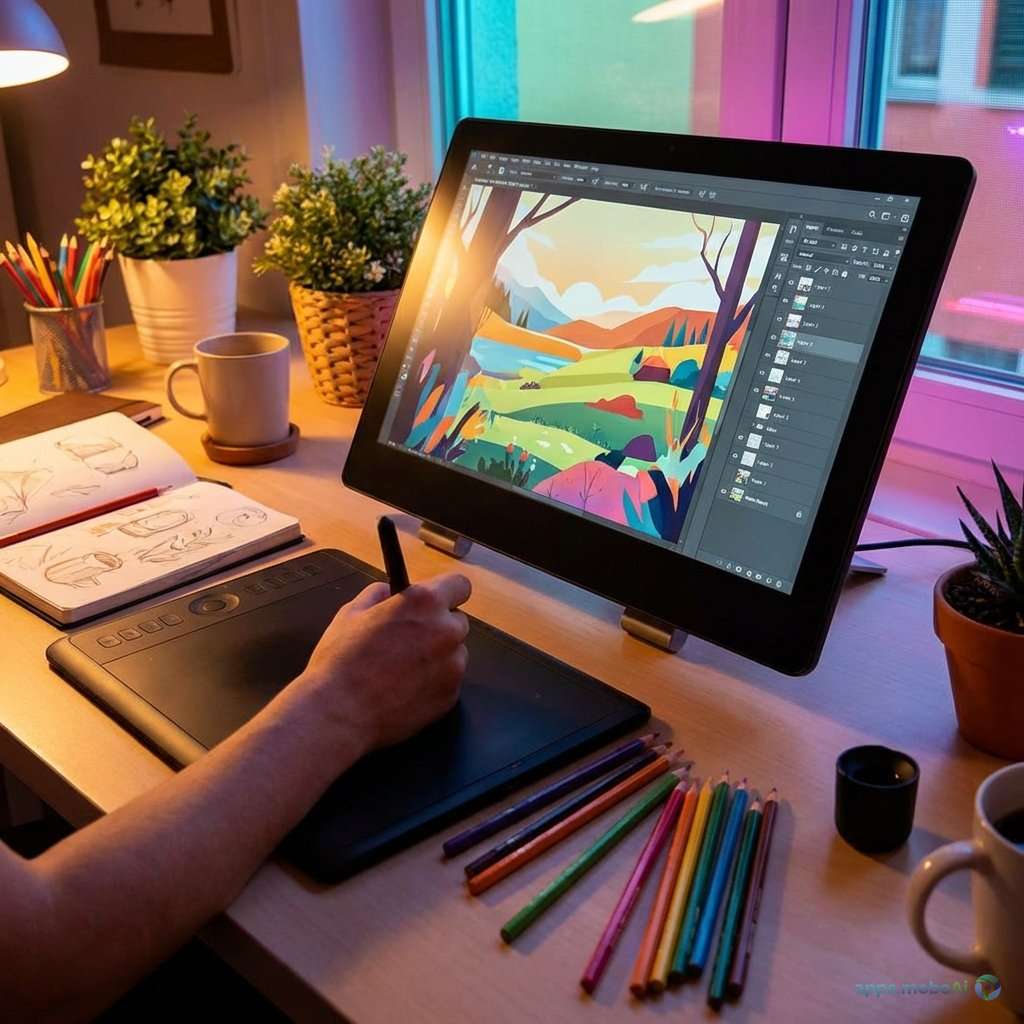
Digital art has undergone a remarkable transformation with the emergence of powerful drawing applications that rival
traditional media in expressiveness while offering capabilities impossible with physical tools. Artists today choose
from sophisticated applications that simulate natural media, enable complex layer systems, and support workflows
from quick sketches to professional illustrations.
Two applications dominate professional digital art creation in 2026: Procreate on iPad and Clip Studio Paint across
all platforms. Each represents a distinct philosophy toward digital creation—Procreate emphasizing intuitive
gesture-based workflow with Apple Pencil optimization, while Clip Studio Paint provides comprehensive professional
features suited for manga, comics, and detailed illustration work.
This comprehensive comparison examines both leading drawing applications, analyzing their brush engines, canvas
capabilities, workflow features, and specialized tools. Whether you’re a concept artist, manga creator, character
designer, or fine artist exploring digital media, understanding each platform’s strengths helps you select the tool
that best matches your creative needs.
I. The Digital Art Revolution
Understanding how digital art tools have evolved provides context for evaluating today’s leading applications.
From Mouse to Pressure Sensitivity
Early digital art required drawing with mice—a compromised experience that limited adoption among traditional
artists. The introduction of pressure-sensitive tablets, particularly Wacom devices, enabled natural stroke
variation that approached traditional media feel.
Touch-screen tablets with stylus support brought even more intuitive creation. Drawing directly on screen eliminates
the learning curve of tablet-monitor coordination. Apple’s iPad with Apple Pencil combination has become
particularly influential, establishing a new standard for portable digital art creation.
Software Maturation
Digital painting software has matured from basic pixel manipulation to sophisticated simulation of traditional media.
Brush engines now accurately replicate oil paint behavior, watercolor bleeding, and pencil texture. Canvas textures
interact with brushes realistically. These advances enable digital artwork that rivals traditional media in
appearance and feel.
Professional Integration
Digital art now integrates seamlessly with professional workflows. Animation studios, game developers, and publishing
houses routinely work with digital originals. File formats, color management, and export options support industry
requirements without compromise.
II. Procreate: iPad Excellence
Procreate has become synonymous with iPad art creation, offering an experience specifically optimized for Apple’s
hardware that no cross-platform competitor can match.
Hardware Optimization
Procreate develops exclusively for iPad, enabling deep optimization for Apple hardware. Apple Pencil support includes
not just pressure and tilt but Apple’s ProMotion display technology for imperceptible latency. This optimization
creates drawing feel that sometimes exceeds desktop applications.
Metal engine utilization maximizes iPad GPU capabilities. Large canvases with numerous layers perform smoothly on
devices that fit in a bag. This portability combined with performance enables professional work in any setting.
The absence of traditional desktop interface elements creates an immersive canvas experience. Gesture-based controls
manage layers, colors, and tools without cluttered toolbars. This design philosophy prioritizes the drawing
experience above all else.
Brush Engine
Procreate’s brush engine provides remarkable flexibility through its dual-texture system. Shape textures define brush
footprint while grain textures add surface variation. The combination enables brushes ranging from precise technical
pens to expressive natural media simulations.
Over 200 default brushes provide extensive starting points. More importantly, the brush studio enables deep
customization—shape behavior, pressure response, texture interaction, and dynamic color variation all adjust to
personal preference. Community-created brushes number in the thousands, with specialized sets for specific styles
and subjects.
Procreate’s brush performance handles very large brush sizes without stuttering. Paint application feels immediate
regardless of brush complexity, maintaining creative flow even with textured, complex brushes.
Canvas and Layer System
Canvas sizes scale with iPad capabilities—newer iPad Pro models support enormous canvases with extensive layer
counts. While hardware imposes limits, professional print-resolution artwork is absolutely achievable.
Layer management offers essential capabilities: blend modes, opacity control, clipping masks, and layer groups.
AlphaLock enables painting within existing content without affecting transparency. Reference layers enable filling
line art without selecting specific layers.
Layer limits based on canvas size sometimes frustrate complex projects. Unlike desktop applications with virtually
unlimited layers, Procreate requires more efficient layer use. Experienced Procreate artists develop workflows that
merge layers appropriately.
Animation Features
Animation Assist transforms Procreate into a capable frame-by-frame animation tool. Onion skinning displays previous
and next frames translucently for smooth motion creation. Timeline scrubbing previews animation in progress.
While not a dedicated animation application, Procreate’s animation capabilities suit illustration animations, social
media content, and project previsualization. Export options include animated GIF and video formats.
Workflow Features
QuickShape snaps gestured shapes into perfect geometric forms—circles, ellipses, rectangles, and polygons. Drawing
Assist provides perspective, isometric, and symmetry guides. These tools accelerate architectural, product, and
symmetrical design work.
Time-lapse recording automatically captures the creation process for sharing or review. Export options include
high-resolution video suitable for social media or documentation.
Color management includes color harmony suggestions, history, and custom palettes. ColorDrop fills enclosed areas
quickly. Sampling and application feel natural and immediate.
Pricing Structure
Procreate costs a one-time $12.99 with no subscription. This pricing approach has earned significant artist loyalty.
All updates since 2011 have been free for existing purchasers. Procreate Dreams, a dedicated animation app, requires
separate purchase at $19.99.
Strengths and Limitations
Procreate excels through hardware optimization that creates unmatched drawing feel on iPad. The gesture-based
interface enables immersive creation. One-time pricing provides exceptional value. The community ecosystem offers
extensive brushes and resources.
However, iPad-only availability excludes users without Apple hardware. Layer limits constrain complex projects.
Vector capabilities are basic. Text tools lack professional typography features. Some professional workflows require
supplementary applications.
III. Clip Studio Paint: Professional Comprehensive
Clip Studio Paint provides professional illustration and comic creation capabilities across platforms—Windows, macOS,
iPad, iPhone, Android, and Chromebook.
Cross-Platform Availability
Clip Studio Paint works identically across all supported platforms. Cloud synchronization maintains settings,
brushes, and work-in-progress files across devices. Start work on a desktop workstation and continue on tablet
without friction.
Desktop versions offer full professional capability without mobile compromises. Large multi-monitor setups present
extensive tool panels without obscuring canvas. Enterprise artists benefit from workstation power while maintaining
mobile options.
Brush Engine
Clip Studio Paint’s brush engine handles both raster and vector brushes seamlessly. Raster brushes simulate
traditional media with sophisticated texture and blending simulation. Vector brushes create infinitely scalable
linework that adjusts after drawing.
Sub-tool customization provides extensive parameter control. Brush physics simulation creates natural media behavior.
Mixing modes blend colors on canvas like physical paint. These capabilities satisfy the most demanding traditional
media simulation requirements.
The Clip Studio Assets marketplace provides thousands of community-created brushes, many free. Specialized brush sets
for manga, watercolor, concept art, and other genres extend capabilities significantly.
Vector Capabilities
Unlike purely raster applications, Clip Studio Paint includes comprehensive vector tools. Vector layers enable
infinitely scalable linework. Vector line correction smooths hand tremor for clean inking. Line weight adjusts after
drawing through control point manipulation.
Vector objects resize without quality loss—essential for commercial work requiring different output sizes. Combined
with raster painting capabilities, this hybrid approach serves diverse professional requirements.
Comic and Manga Tools
Clip Studio Paint began as ComicStudio and Manga Studio, retaining deep specialization for sequential art. Panel
tools create complex page layouts efficiently. Speech bubble tools generate and format dialogue containers. Effect
lines and patterns suit manga convention.
Story management organizes multi-page projects. Book binding preview shows page spreads as printed. These workflow
tools address commercial comic production requirements that general illustration apps ignore.
3D models serve as posing reference—place human figures, objects, or environments and draw over them. Model libraries
include diverse body types, poses, and objects. This reference system accelerates character creation significantly.
Animation Capabilities
Clip Studio Paint Pro includes basic animation features. The EX version provides full animation capabilities
including camera movement, complex timelines, and audio synchronization. Professional anime studios use Clip Studio
Paint for production work.
Frame-by-frame and keyframe-based animation both function within the same project. Light table displays multiple
frames for smooth motion creation. Export supports professional video formats and sequences.
Perspective and Rendering Tools
Perspective rulers create one, two, and three-point perspective guides with sophisticated control. Multiple
perspective setups can exist simultaneously. These tools suit architectural illustration and environment concept
art.
Isometric and fish-eye projection options extend perspective capabilities. Grid overlays assist technical
illustration. These features address commercial illustration requirements beyond artistic expression.
Pricing Structure
Clip Studio Paint transitioned to subscription pricing in 2023, though perpetual licenses remain available. One-time
purchase: Pro at $49.99, EX at $219. Subscription: Pro at $2.49/month, EX at $6.49/month. Subscription includes all
updates and cloud features.
Device pricing matters—tablet versions require separate subscriptions from desktop, though bundle options exist. This
complexity contrasts with Procreate’s simple one-time purchase.
Strengths and Limitations
Clip Studio Paint provides professional features that exceed most competitors. Vector capabilities, comic tools, and
3D reference create unique value. Cross-platform availability enables flexible workflows. The depth of features
suits career artists.
However, the interface complexity challenges new users. Subscription pricing for full features adds ongoing cost.
Mobile versions, while capable, don’t match desktop power. The learning curve is significant compared to simpler
alternatives.
IV. Feature Comparison
Direct comparison across key dimensions clarifies platform differences.
Comparison Table
| Feature | Procreate | Clip Studio Paint |
|---|---|---|
| Platforms | iPad only | Windows, Mac, iOS, Android |
| Price Model | One-time $12.99 | $49.99+ or subscription |
| Vector Support | Basic | Comprehensive |
| Comic Tools | Limited | Extensive |
| Learning Curve | Easy | Moderate-Steep |
| Best For | Illustration, painting | Comics, manga, detailed work |
Brush and Painting Feel
Procreate’s Apple Pencil optimization creates arguably the most natural drawing feel available on any platform. The
gesture-based interface enables immersive creation. For pure digital painting and illustration, Procreate often wins
on feel alone.
Clip Studio Paint’s brush engine provides more technical depth. Traditional media simulation, especially watercolor
and oil, can exceed Procreate with proper brush configuration. The depth rewards investment in customization.
Professional Features
Clip Studio Paint clearly leads in professional features—vector tools, comic creation, 3D reference, and multi-page
projects address commercial requirements Procreate doesn’t attempt. Artists creating comics, manga, or work
requiring precise linework benefit from these capabilities.
Learning and Accessibility
Procreate’s streamlined interface enables productive use within hours. New users create quality work immediately. The
gesture learning curve is minimal with intuitive discoverability.
Clip Studio Paint’s depth creates complexity. Significant time investment is required for proficiency. This
investment pays dividends for professionals but may discourage casual users.
V. Choosing the Right Tool
Selection depends on artistic focus, platform requirements, and workflow preferences.
For Digital Painters
Artists focused on painting, sketching, and illustration often prefer Procreate’s immersive experience. The iPad’s
portability enables plein air digital painting. Natural media simulation satisfies fine art approaches.
For Comic and Manga Artists
Clip Studio Paint’s specialized tools make it essential for sequential art creation. Panel layouts, speech bubbles,
screentones, and multi-page management address manga and comic production specifically.
For Concept Artists
Professional concept artists often use both. Procreate’s portability enables field sketching and quick ideation. Clip
Studio Paint’s precision suits detailed orthographic views and production-ready documentation.
For Character Designers
Both applications serve character design well. Procreate’s speed and feel suit exploration. Clip Studio Paint’s
vector tools enable clean final art. Choice depends on final output requirements.
For Beginners
New digital artists should consider platform availability first. iPad users will find Procreate’s accessibility
ideal. Windows or Android users should start with Clip Studio Paint, accepting the steeper learning curve.
VI. Using Both Applications
Many professional artists maintain both applications for different purposes.
Complementary Workflows
Sketch quickly in Procreate’s immersive environment. Refine in Clip Studio Paint’s precision tools. Export formats
support this inter-application workflow.
Platform-Specific Strengths
Procreate remains unmatched for iPad art creation. Clip Studio Paint serves desktop workstations better. Using each
where it excels optimizes the overall workflow.
Cost Considerations
Procreate’s one-time cost makes adding it low-risk. Clip Studio Paint’s perpetual option allows permanent ownership.
Neither requires ongoing subscription for core functionality (though Clip Studio’s subscription adds benefits).
VII. Alternatives Worth Considering
Other capable applications serve specific niches.
Krita
Free and open-source, Krita provides professional capabilities without cost. Brush engines rival commercial
applications. Animation tools enable frame-by-frame creation. Ideal for budget-conscious artists on Windows and
Linux.
Adobe Fresco
Adobe’s drawing app offers excellent natural media simulation, particularly live brushes that mimic real paint
behavior. Integration with Adobe ecosystem benefits Creative Cloud subscribers.
MediBang Paint
Free across platforms, MediBang provides capable comic creation tools. Cloud synchronization and collaboration
features suit teams. Less polished than commercial options but genuinely capable.
VIII. Future Trends
Digital art tools continue evolving with technology advancement.
AI Integration
AI assistance is entering art applications—reference generation, color suggestion, and composition analysis. Artists
maintain creative control while AI accelerates workflow. Both Procreate and Clip Studio Paint are integrating AI
thoughtfully.
Improved Hardware
Tablet hardware continues advancing. Larger screens, better styluses, and improved processing enable more ambitious
mobile creation. The gap between mobile and desktop capability narrows annually.
Workflow Evolution
Cloud-based workflows, collaborative creation, and streamlined publishing are emerging trends. Future applications
will likely integrate more deeply with distribution platforms and team collaboration.
IX. Conclusion
Procreate and Clip Studio Paint represent the pinnacle of digital art creation in 2026, each excelling in distinct
ways. Procreate provides the most refined iPad art experience—intuitive, immersive, and extraordinarily optimized
for Apple Pencil. Clip Studio Paint offers comprehensive professional features—vector tools, comic creation, and
cross-platform flexibility that serve commercial artists.
iPad-focused illustrators and painters should choose Procreate without hesitation. The one-time price, excellent
brush engine, and gesture-based workflow create exceptional value. The only real limitation is platform exclusivity.
Comic artists, manga creators, and professionals requiring precise linework or multi-page projects should invest in
Clip Studio Paint. The feature depth addresses requirements Procreate doesn’t attempt. Cross-platform availability
ensures workflow continuity regardless of device.
Many serious digital artists own both, using each where it excels. The combined investment remains modest compared to
traditional art supplies or other professional software. Both applications represent extraordinary value for the
creative capabilities they provide—choose based on your primary needs, and consider adding the other as your work
evolves.

.jpg)
.jpg)