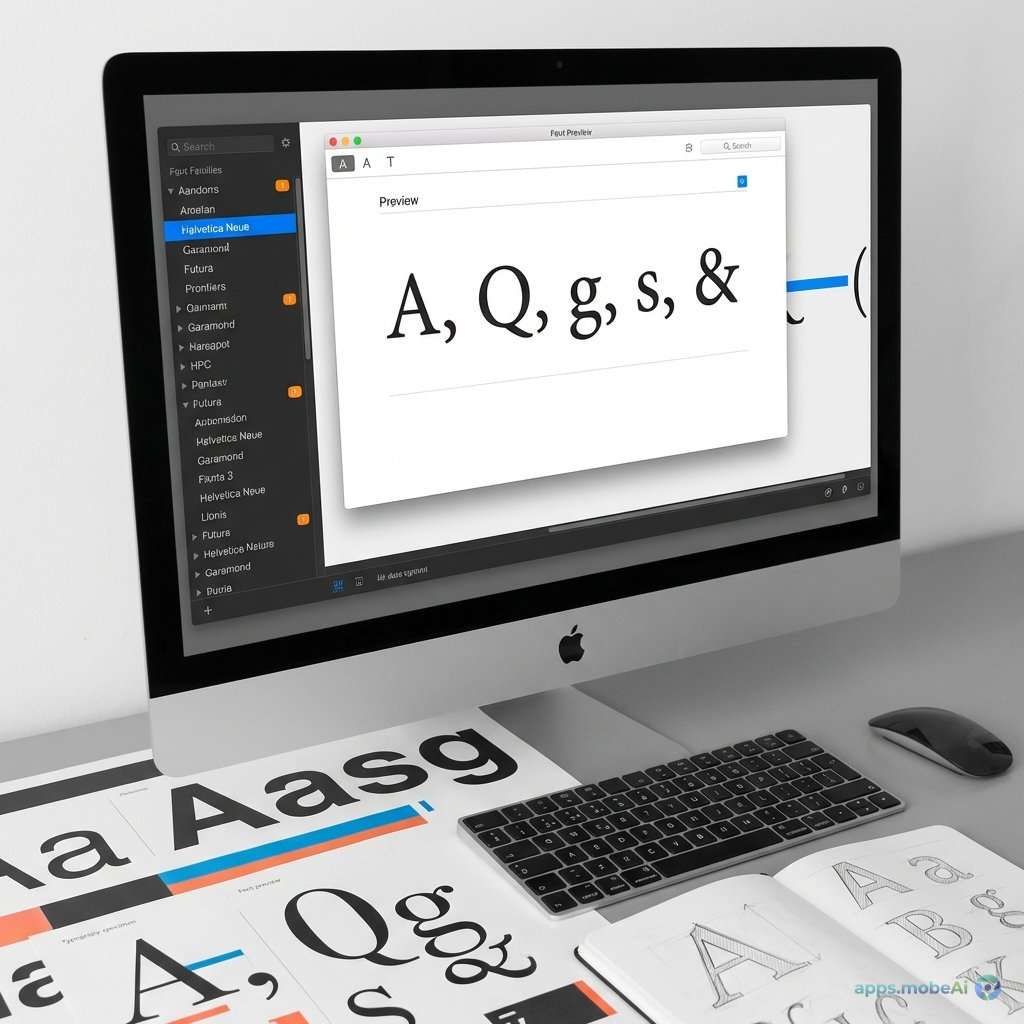
Typography forms the backbone of effective visual communication, and professional designers often accumulate font
libraries numbering in the thousands. Managing these typographic assets efficiently makes the difference between
creative flow and frustrating font hunting—between polished professional work and typographic chaos.
Font management software organizes, previews, activates, and deactivates fonts systematically. Rather than installing
thousands of fonts that slow system performance, font managers load only what’s needed for current projects.
Organization features categorize fonts by client, project, style, or any custom taxonomy. Preview capabilities help
designers select perfect typefaces without opening design applications.
This comprehensive guide examines font management tools every designer should know, comparing approaches from
sophisticated professional systems to lightweight utilities. Whether you’re managing a modest personal collection or
enterprise font assets across design teams, you’ll discover software that brings order to typographic abundance and
accelerates your design workflow.
I. Understanding Font Management Needs
Before evaluating specific tools, understanding what font management addresses clarifies its importance.
The Font Accumulation Problem
Designers acquire fonts steadily throughout their careers. Project requirements introduce new typefaces. Foundry
subscriptions provide access to extensive libraries. Free font downloads accumulate. Within years, libraries grow to
thousands of fonts that overwhelm operating system font handling.
Operating systems weren’t designed for massive font libraries. Performance degrades as font counts increase. Font
menus become unwieldy. Locating specific typefaces becomes time-consuming. The creative process suffers when
typography selection becomes frustrating.
Activation and Deactivation
Font managers solve accumulation through activation control. Rather than installing all fonts permanently, keep fonts
deactivated until needed. Activate fonts for specific projects, then deactivate when complete. This approach
maintains system performance while providing access to extensive libraries.
Auto-activation extends this further—when applications request missing fonts, font managers can activate them
automatically. This eliminates manual activation for everyday workflow.
Organization Requirements
Finding fonts quickly requires organization beyond alphabetical lists. Client classification groups fonts by projects
served. Style categorization—script, sans-serif, decorative—enables browsing by aesthetic need. Rating and tagging
add personal evaluation data. Good organization transforms font libraries from liability to creative asset.
Preview and Comparison
Selecting typography requires seeing fonts in context. Waterfall views display text at multiple sizes. Sample text
preview shows custom phrases in candidate fonts. Comparison layouts display multiple fonts simultaneously for
evaluation. These preview capabilities accelerate decision-making.
II. Professional Font Management Systems
Comprehensive font management systems serve design professionals and agencies with sophisticated organization and
activation features.
Suitcase Fusion
Extensis Suitcase Fusion has served professional designers for decades with mature font management that handles
individual and team workflows.
Font organization through libraries, sets, and smart sets provides flexible classification. Create client-specific
sets, project collections, or stylistic groupings. Smart sets dynamically collect fonts matching specific
criteria—all script fonts, recently added fonts, fonts from specific foundries.
Auto-activation plugins integrate with Adobe Creative Cloud, Affinity applications, and other design software. When
documents require unavailable fonts, Suitcase activates them transparently. Font Panel provides a unified font
selection interface across applications.
Font Doctor diagnoses and repairs corrupted fonts that cause application crashes or display problems. This
maintenance capability addresses real workflow issues designers encounter.
Team features enable shared font libraries across design organizations. Font assets centralize while maintaining
licensing compliance tracking. Enterprise features include administrative controls and asset management.
Pricing runs $119.95 for individual perpetual license, with subscription options providing updates.
FontExplorer X Pro
FontExplorer X Pro provides comprehensive font management with particular strength in preview and classification
features.
The preview system offers extensive viewing options—glyph inspection, waterfall displays, custom sample text, and
comparison layouts. Designers can evaluate typography thoroughly before activation.
Classification extends beyond basic categorization. Font metadata includes technical specifications, licensing
information, and personal ratings. Tagging enables custom categorization matching individual workflow needs.
Auto-activation integrates with major design applications. WebFonts handling supports web typography workflows.
Export features prepare fonts for specific deployment scenarios.
At $89 perpetual license (Mac) or through subscription models, FontExplorer provides professional capability at
accessible pricing.
Adobe Fonts (formerly Typekit)
Adobe Fonts approaches font management differently—providing access to thousands of fonts through Creative Cloud
subscription rather than managing personally-owned fonts.
The Adobe Fonts library includes over 20,000 fonts from major foundries. Unlimited activations eliminate counting or
budget concerns. Fonts integrate directly with Creative Cloud applications.
Web font serving enables website typography deployment. Variable fonts support modern responsive typography. The
service continuously adds new typefaces.
However, Adobe Fonts doesn’t manage non-Adobe fonts. The service requires ongoing Creative Cloud subscription—fonts
deactivate if subscription lapses. Projects using Adobe Fonts depend on continued subscription.
Adobe Fonts is included with Creative Cloud subscriptions at no additional cost, representing significant value for
existing subscribers.
Monotype Fonts
Monotype Fonts provides licensed font access through subscription, with font management capabilities for enterprise
typography programs.
The library includes fonts from Monotype’s extensive catalog—Helvetica, Frutiger, Gill Sans, and thousands more.
Enterprise licensing simplifies font compliance for organizations.
Font management features organize licensed fonts within the subscription context. Prototyping enables unlimited font
experimentation before licensing commitment.
Enterprise pricing serves organizations with complex typography needs. The subscription model suits teams requiring
extensive foundry-quality typography.
III. Lightweight Font Management Utilities
Not every designer needs enterprise font management. Lightweight utilities provide essential organization and
activation at lower complexity and cost.
Font Base
Font Base takes a modern, cross-platform approach to font management with attractive interface and capable free tier.
The interface organizes fonts visually with filtering, searching, and tagging. Folder watching automatically detects
and organizes newly added fonts. Activation simply requires toggling fonts on and off.
Collections organize fonts into custom groupings. Auto-activation works with common design applications. Variable
font support handles modern font technology.
The free tier provides core font management without activation limits. Pro at $29/year adds auto-activation, advanced
search, and additional features.
Cross-platform availability for Windows, Mac, and Linux distinguishes Font Base from Mac-focused competitors.
RightFont
RightFont provides simple, effective font management focused on Mac users who want organization without complexity.
The single-window interface displays font libraries with immediate preview. Drag fonts into smart folders for
organization. Activation works through simple checkbox toggling.
Google Fonts and Adobe Fonts integration enables browsing and activation from these services. Font sync keeps fonts
available across devices.
At $49 perpetual license, RightFont provides professional font management at indie-friendly pricing.
FontGoggles
FontGoggles provides specialized font preview and inspection—a free, open-source tool for detailed typography
examination.
Variable font inspection displays adjustment axes interactively. OpenType feature testing shows stylistic alternates
and ligatures. Language support verification ensures fonts handle required character sets.
While not a complete font manager, FontGoggles addresses font evaluation needs that organization tools don’t
emphasize. Designers often use FontGoggles alongside traditional font managers.
macOS Font Book
Apple’s built-in Font Book provides basic font management without additional software. For designers with modest
libraries, it may suffice.
Collections organize fonts into groups. Validation identifies problematic fonts. Preview displays sample text in
selected fonts.
However, Font Book lacks sophisticated organization, auto-activation plugins, and the preview depth of dedicated
utilities. Most professional designers outgrow Font Book quickly.
IV. Workflow Integration
Font management integrates with design workflow through auto-activation and application plugins.
Auto-Activation Explained
Auto-activation eliminates manual font hunting. When design applications open documents requiring unavailable fonts,
font managers intercept the request. If the font exists in the managed library, activation happens automatically.
The document opens with correct typography without designer intervention.
This capability requires font manager plugins for specific applications. Adobe Creative Cloud, Affinity applications,
and other design software typically have plugin support from major font managers.
Application Integration
Beyond auto-activation, font managers often provide application integration through font panels or menus. These
integrated interfaces enable font browsing and activation without switching to the font manager application.
Suitcase Fusion’s Font Panel and FontExplorer’s integration provide examples of deep application connection that
accelerates font-intensive workflows.
Web Font Workflow
Web typography involves different concerns—file format conversion, subsetting for performance, CSS generation, and
hosting. Some font managers address these needs; others focus purely on desktop management.
Adobe Fonts and Monotype Fonts include web font serving. Desktop managers may require separate web font tools for
online typography deployment.
V. Font Organization Strategies
Effective font management requires organizational strategy beyond tool selection.
Client-Based Organization
Creating collections for each client ensures quick access to client-specific typography. Project handoff becomes
simpler when fonts group by client. Licensing compliance clarifies when client fonts organize together.
Style-Based Categories
Organizing fonts by style—serif, sans-serif, script, display, monospace—enables browsing when aesthetic direction
guides selection. Many font managers support style metadata that enables automatic categorization.
Tag and Rate Systems
Personal evaluation systems using tags and ratings capture learning about fonts over time. Rate fonts based on
versatility, quality, and past success. Tag for emotional qualities or use cases. This metadata accumulates value as
experience grows.
License Tracking
Note licensing information within font management systems. Free fonts, subscription fonts, and purchased fonts have
different usage rights. Tracking prevents licensing violations that create legal liability.
VI. Feature Comparison
Comparing font management tools across key capabilities helps match solutions to specific needs.
Comparison Table
| Tool | Platform | Price | Best For |
|---|---|---|---|
| Suitcase Fusion | Mac/Windows | $119.95 | Professional Teams |
| FontExplorer X | Mac | $89 | Preview Focus |
| Font Base | Mac/Win/Linux | Free/$29/yr | Cross-Platform |
| RightFont | Mac | $49 | Simple Mac Solution |
| Adobe Fonts | Cloud | CC included | Adobe Users |
For Individual Designers
Individual designers with manageable libraries may start with Font Base’s free tier or RightFont’s affordable
perpetual license. These tools provide essential organization and activation without enterprise complexity.
For Design Agencies
Agencies benefit from Suitcase Fusion’s team features—shared libraries, administrative controls, and compliance
tracking. The investment serves organizations managing multiple designers and client font requirements.
For Adobe-Centric Workflows
Creative Cloud subscribers should leverage Adobe Fonts’ included access. The extensive library eliminates font
purchase for many project needs. However, managing owned fonts still requires separate tooling.
VII. Font Technology Understanding
Font management benefits from understanding contemporary font technology.
OpenType Features
OpenType fonts include features beyond basic character rendering—ligatures, stylistic alternates, small caps, and
contextual substitutions. Font managers that preview OpenType features help evaluate font capability fully.
Variable Fonts
Variable fonts contain multiple styles within single files—weight, width, and custom axes vary continuously rather
than in fixed steps. Font managers must handle variable fonts properly, displaying axis controls for evaluation.
Web Font Formats
Web typography uses specific formats—WOFF2 primarily, with WOFF and legacy formats for compatibility. Understanding
format requirements helps evaluate font manager web workflow features.
Font Licensing
Font licenses restrict usage—desktop vs. web, user counts, client work permissions. Understanding licensing
categories prevents violations. Font managers that track licensing information support compliance.
VIII. Building Your Font Library
Font management tools work with fonts you provide—building a quality library matters.
Quality Over Quantity
Resist accumulating fonts indiscriminately. Quality fonts with extensive character sets, proper kerning, and multiple
weights serve better than large collections of poorly-designed typefaces. Curate deliberately.
Foundation Families
Establish core font families that serve most projects. A quality serif, sans-serif, and display face handle many
needs. Expand from this foundation rather than searching constantly.
Specialty Fonts
Add specialty fonts for specific needs—scripts for formal occasions, decorative faces for impact, technical fonts for
specialized applications. These complement foundation families for complete coverage.
Legitimate Sources
Acquire fonts legitimately. Free font sites like Google Fonts and Font Squirrel provide quality at no cost. Foundry
purchases ensure quality and licensing clarity. Pirated fonts create legal liability and often contain technical
problems.
IX. Maintenance and Cleanup
Font libraries require periodic maintenance for optimal performance.
Duplicate Detection
Font duplicates waste storage and create potential conflicts. Font managers typically identify duplicates for
cleanup. Regular duplicate removal maintains library efficiency.
Corruption Identification
Corrupted fonts cause application crashes and display problems. Font validation features identify problematic fonts
for removal or repair. Address corruption proactively rather than after crashes occur.
Unused Font Removal
Periodically evaluate fonts that haven’t been activated in years. Remove fonts that no longer serve any purpose.
Smaller, focused libraries perform better than bloated collections.
Organization Maintenance
Organization degrades without attention. Periodically review collections and tags for continued relevance. Update
classifications as understanding evolves. Maintain organization investment over time.
X. Conclusion
Font management transforms typography from creative liability to professional asset. The accumulation of fonts that
accompanies design careers becomes organized, accessible, and efficient rather than chaotic and frustrating.
For most designers, Font Base’s free tier provides an excellent starting point—capable organization and activation at
no cost. As needs grow, RightFont at $49 or FontExplorer at $89 provide professional features at accessible pricing.
Agencies and teams benefit from Suitcase Fusion’s collaboration features despite higher investment.
Adobe Creative Cloud subscribers should actively use Adobe Fonts—the included library eliminates font purchase for
many projects while simplifying licensing. However, managing personally-owned fonts still requires separate tooling.
Beyond tool selection, developing organizational strategy and maintaining library hygiene matter equally. Categorize
fonts thoughtfully. Track licensing information. Remove duplicates and corrupted fonts. Curate quality over
quantity.
Typography excellence requires both aesthetic judgment and practical management. Font management tools provide the
practical foundation that enables aesthetic exploration. With organized, accessible font libraries, designers focus
creative energy on typography selection rather than font hunting—producing better work faster with less frustration.




.jpg)